⭐ Best Seller — 1,400+ Users v5.2.7 · Updated 4 days ago

WP Safelink — The WordPress Link Monetization Plugin That Actually Works

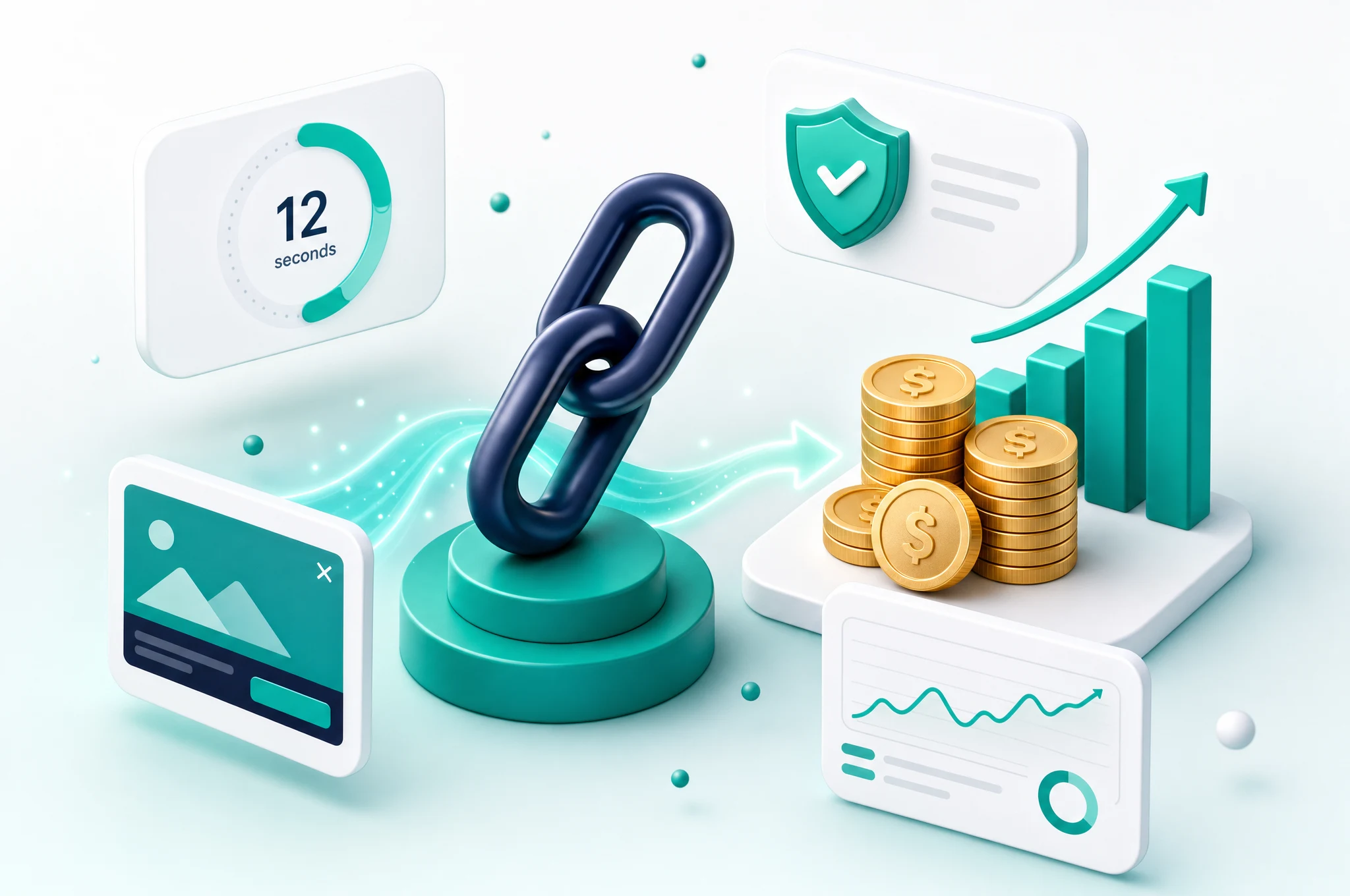
Stop losing money to adblockers and bot traffic. WP Safelink PRO encrypts your links, bypasses ad blockers, blocks bots, and multiplies your AdSense impressions — all automatically.

Use code NEWHOPE for 25% OFF

WP Safelink PRO - Link Monetization Plugin

You're Losing Money Every Day

If you run a download blog, content site, or any website with external links — you're leaving revenue on the table.

🚫

Adblockers Kill Your Revenue

30-40% of your visitors use adblockers. That means 30-40% of your potential AdSense revenue is gone. Your content gets consumed, but you earn nothing.

🤖

Bot Traffic Risks Your Account

Fake clicks from bots, proxies, and VPNs can get your AdSense account suspended. One invalid traffic flag and years of work can be wiped out overnight.

📉

One Click = One Impression

When users click an external link, they leave immediately. You get only one page view and one ad impression. That's the worst conversion ratio possible.

🔓

Direct Links Bypass Your Site

Anyone can copy your download links and share them directly. Your visitors skip your site entirely and you earn zero from that traffic.

Manual Link Management Drains Your Time

Creating safelinks one by one for every post is tedious and error-prone. You spend hours on link management instead of creating content that brings in more traffic and revenue.

📤

Shared Links on Forums Kill Your Earnings

Users grab your download URLs and paste them on Reddit, Telegram, and Discord. Thousands of people access your files without ever visiting your site — that's free traffic you'll never monetize.

WP Safelink Solves All of This

One plugin. Every link monetized. Every visitor counted. Every bot blocked.

🛡️

Anti-Adblock Technology

Bypass all major adblockers. Your ads display to 100% of visitors — not just the 60% without adblockers. Reclaim your lost revenue instantly.

🤖

Bot Detection & Blocking

Intelligent detection filters out traffic from bots, proxies, and VPNs. Protect your AdSense account from invalid clicks and keep your earnings safe.

🔐

Encrypted Safe Links

All links are encrypted before redirection. Users can't bypass your safelink pages. No direct link sharing means all traffic flows through your monetized pages.

📄

Multiple Page System

One click generates 3-5 page views with different ad placements. Multiply your impressions per visit by 3-5x without any extra content creation.

🔗

Adlinkfly Integration

Connect with Adlinkfly URL shortener for double monetization. Users see ads on the shortener page AND your safelink page — double the revenue per click.

🌐

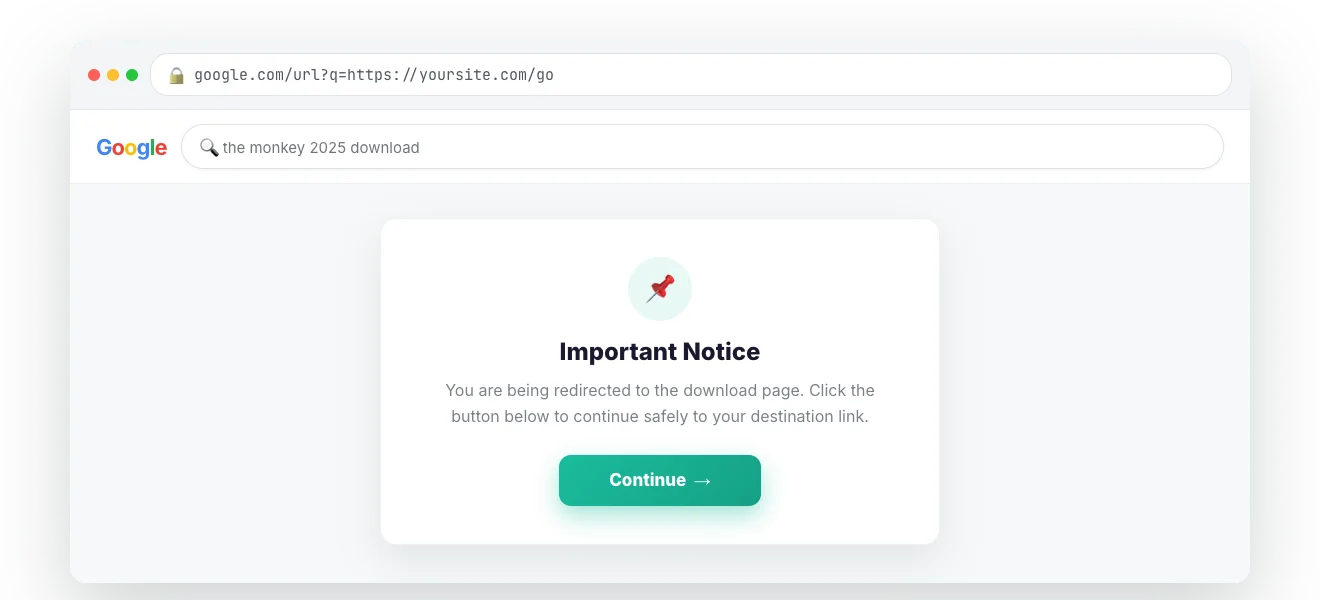
Google Redirect (PRO)

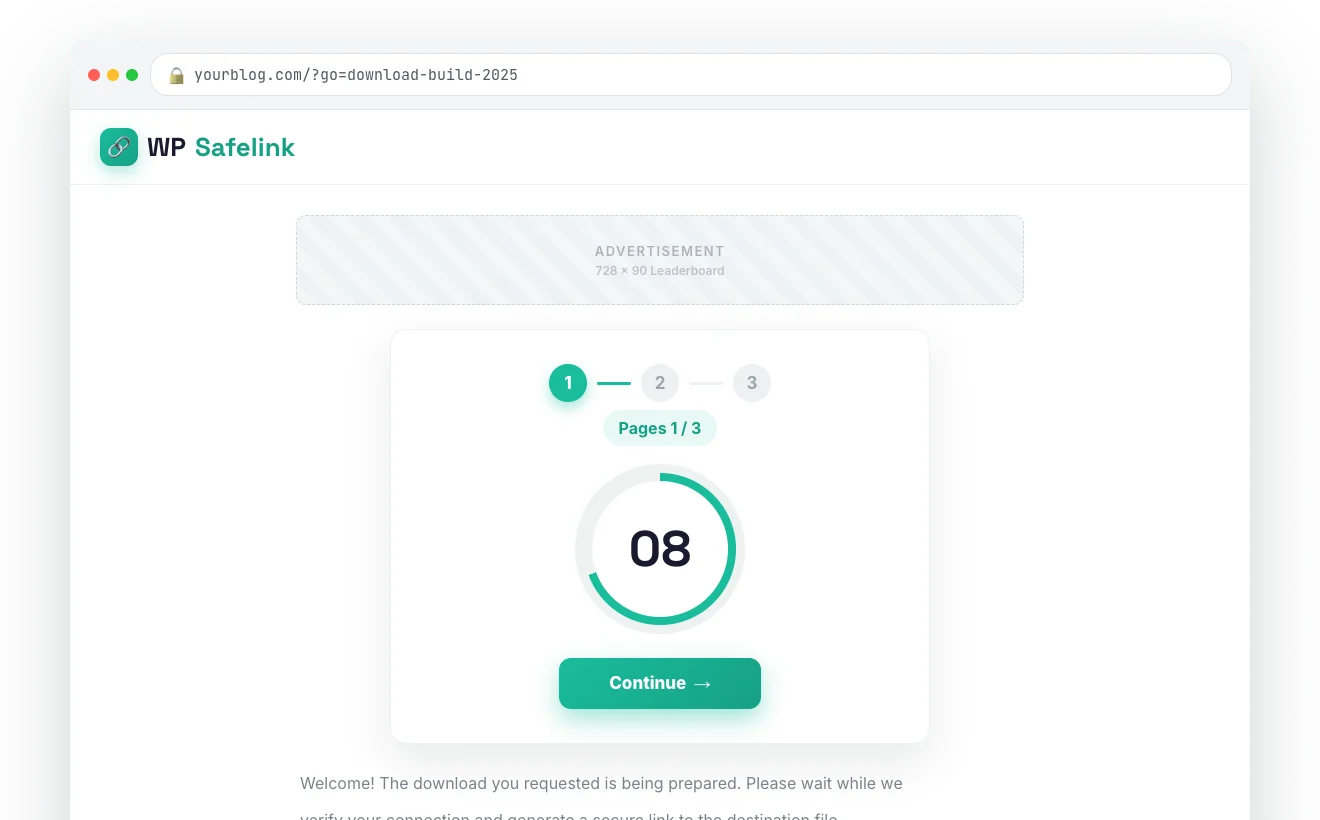
Capture organic traffic from Google searches with intelligent redirection. Turn search engine visitors into safelink page views before reaching the destination.

How Each Feature Works

🛡️ Anti-Adblock That Actually Works

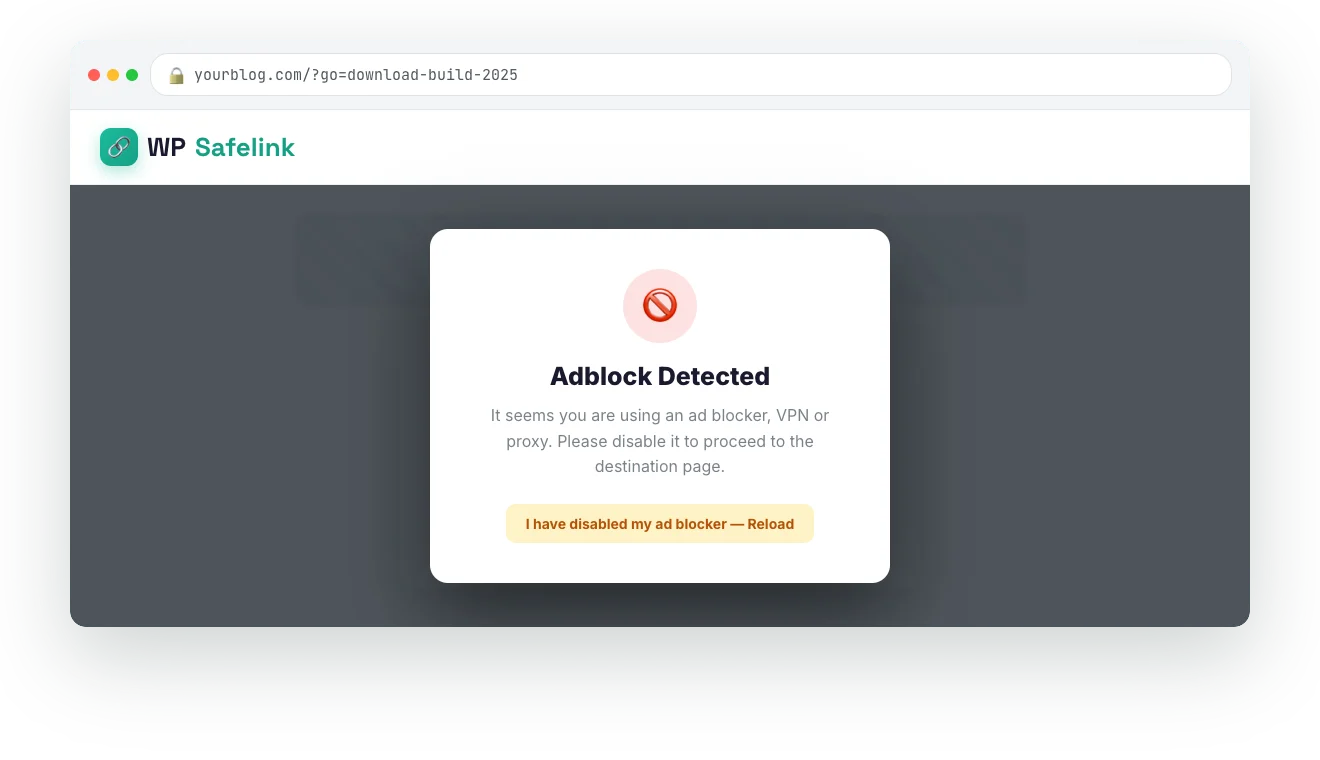
Most anti-adblock solutions are detectable and get bypassed within weeks. WP Safelink uses a proprietary approach that works with all major adblockers — consistently.

  • Works with uBlock Origin, AdBlock Plus, AdGuard
  • No annoying "please disable adblock" popups
  • Ads load silently in the background
  • Compatible with Google AdSense policies
Anti-Adblock Technology

📄 Multiple Pages = More Impressions

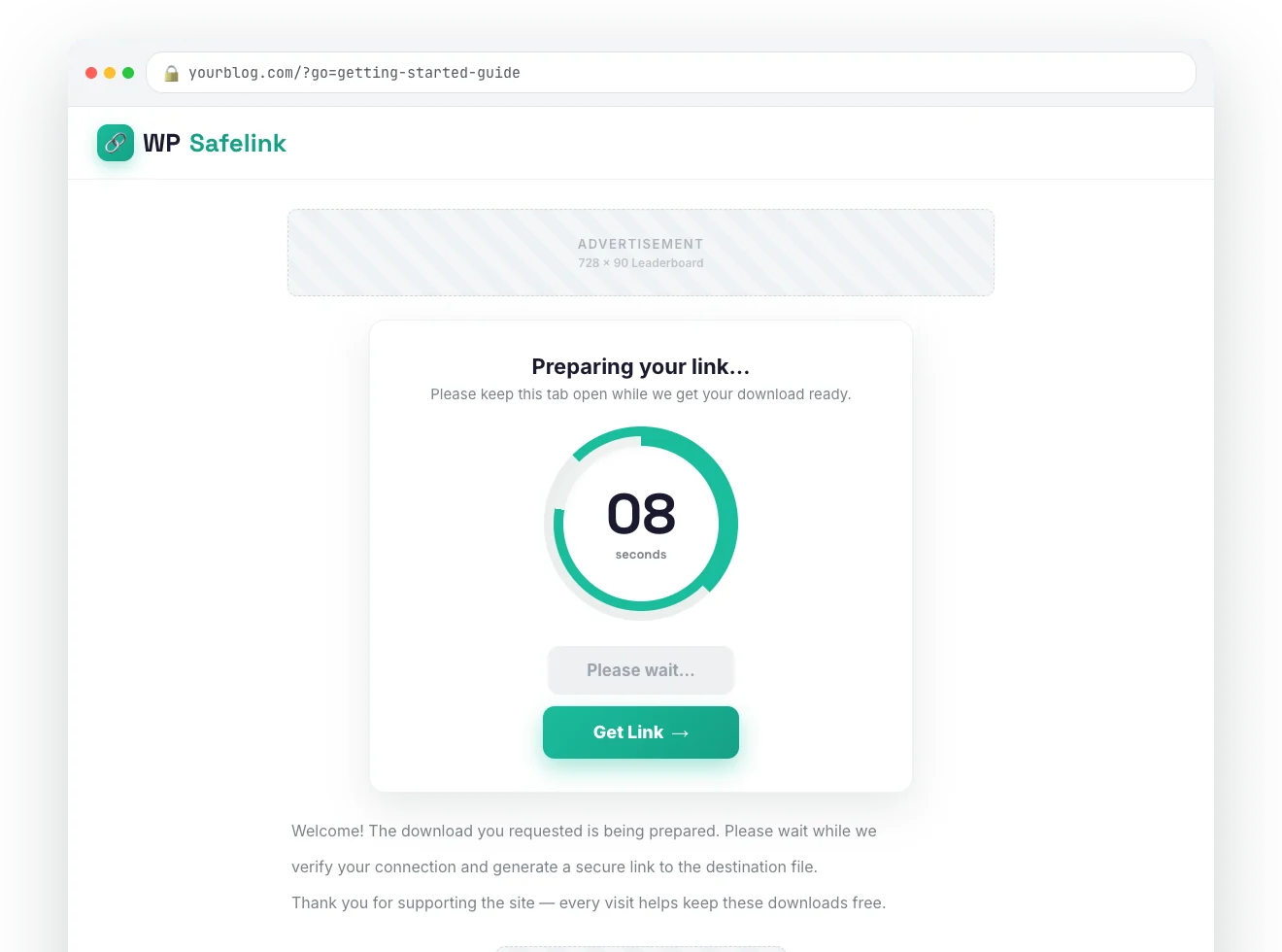
The PRO version's multiple page system creates a sequence of pages before the final download link. Each page has its own ad placements, multiplying your revenue per visitor.

  • Configure 2-5 intermediate pages
  • Different ad layouts per page
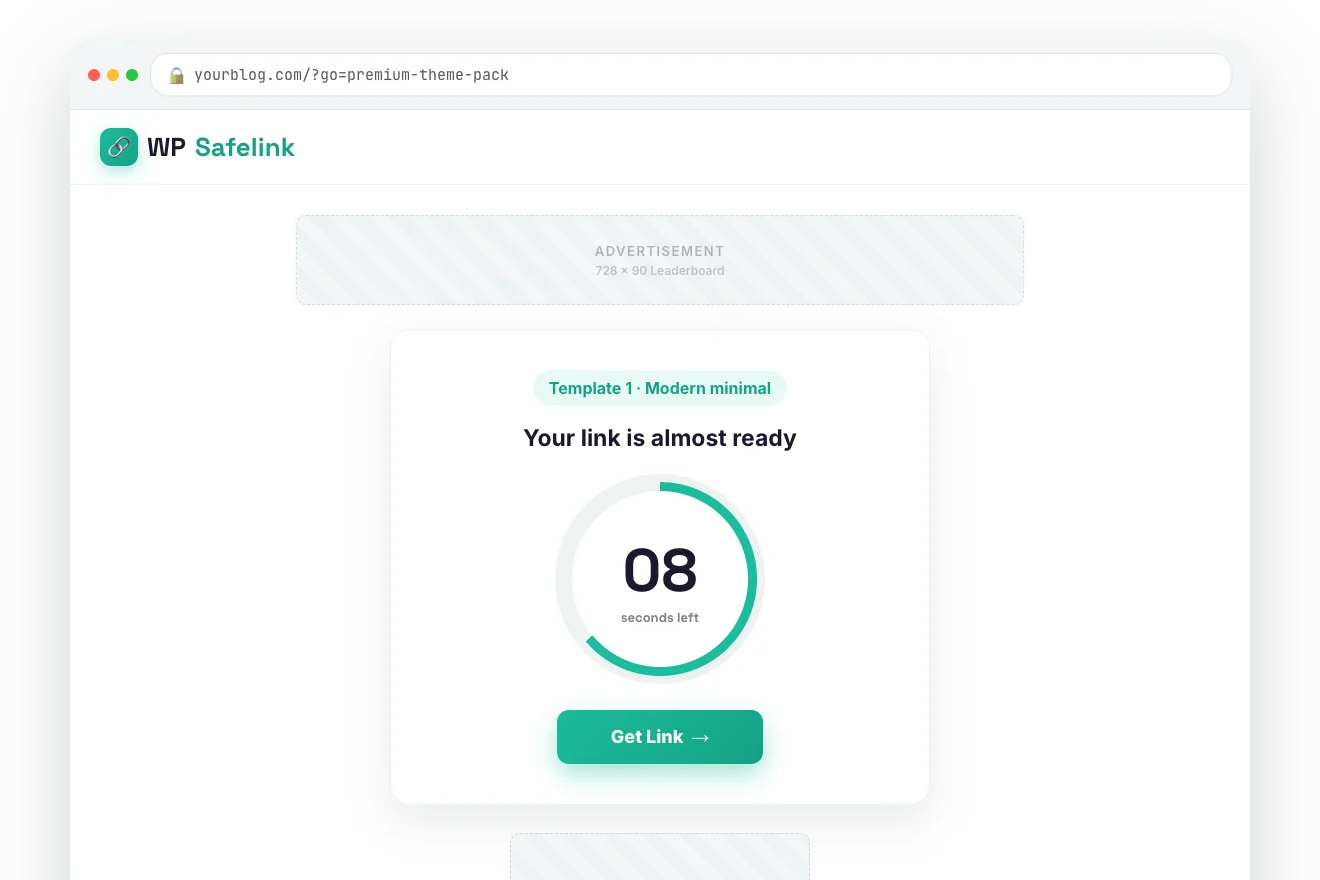
  • Countdown timers for engagement
  • 3-5x more ad impressions per click
Multiple Page System

🤖 Smart Bot Protection (PRO)

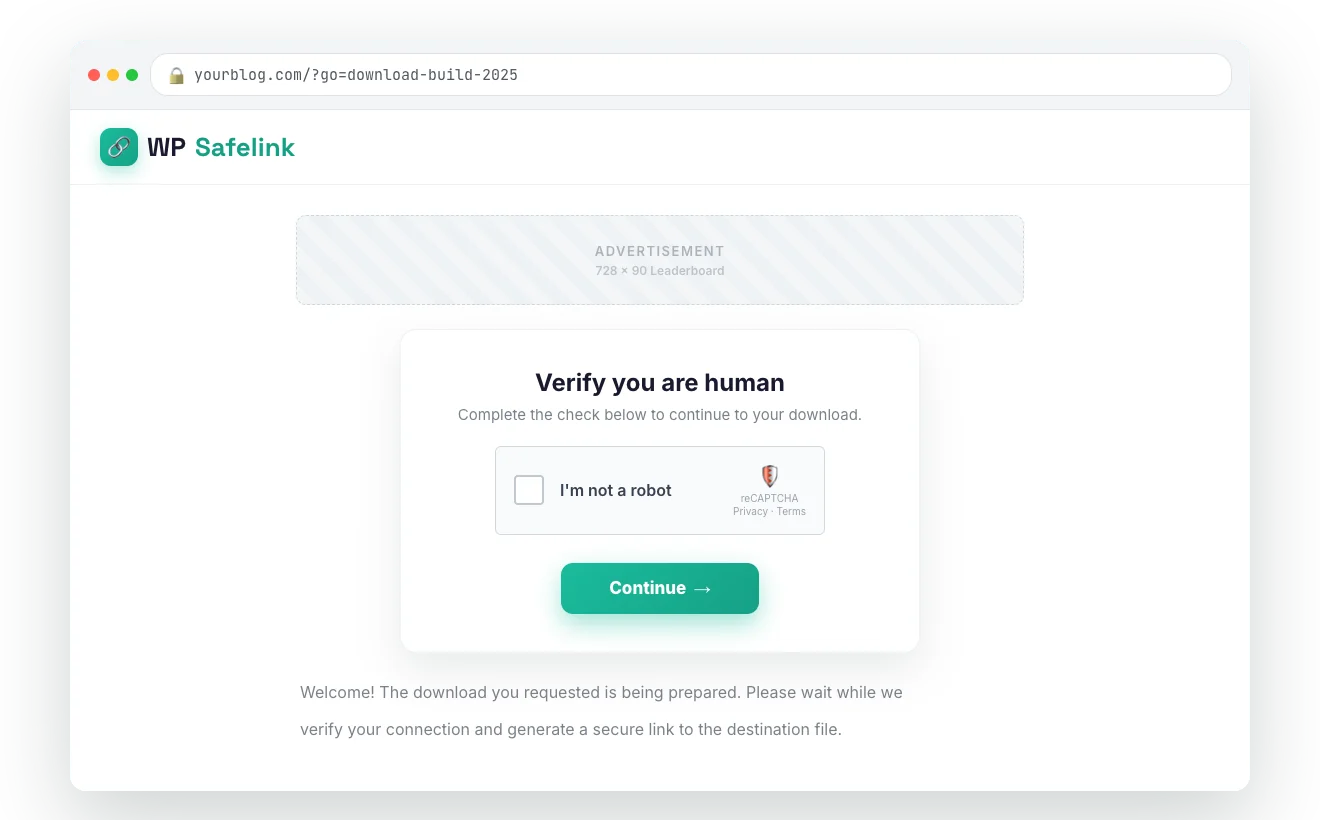
Invalid traffic can get your AdSense account banned permanently. WP Safelink PRO detects and blocks suspicious traffic before it reaches your ads.

  • VPN & proxy detection
  • Known bot IP database
  • Behavior-based bot detection
  • hCaptcha & reCaptcha integration
Bot Protection System

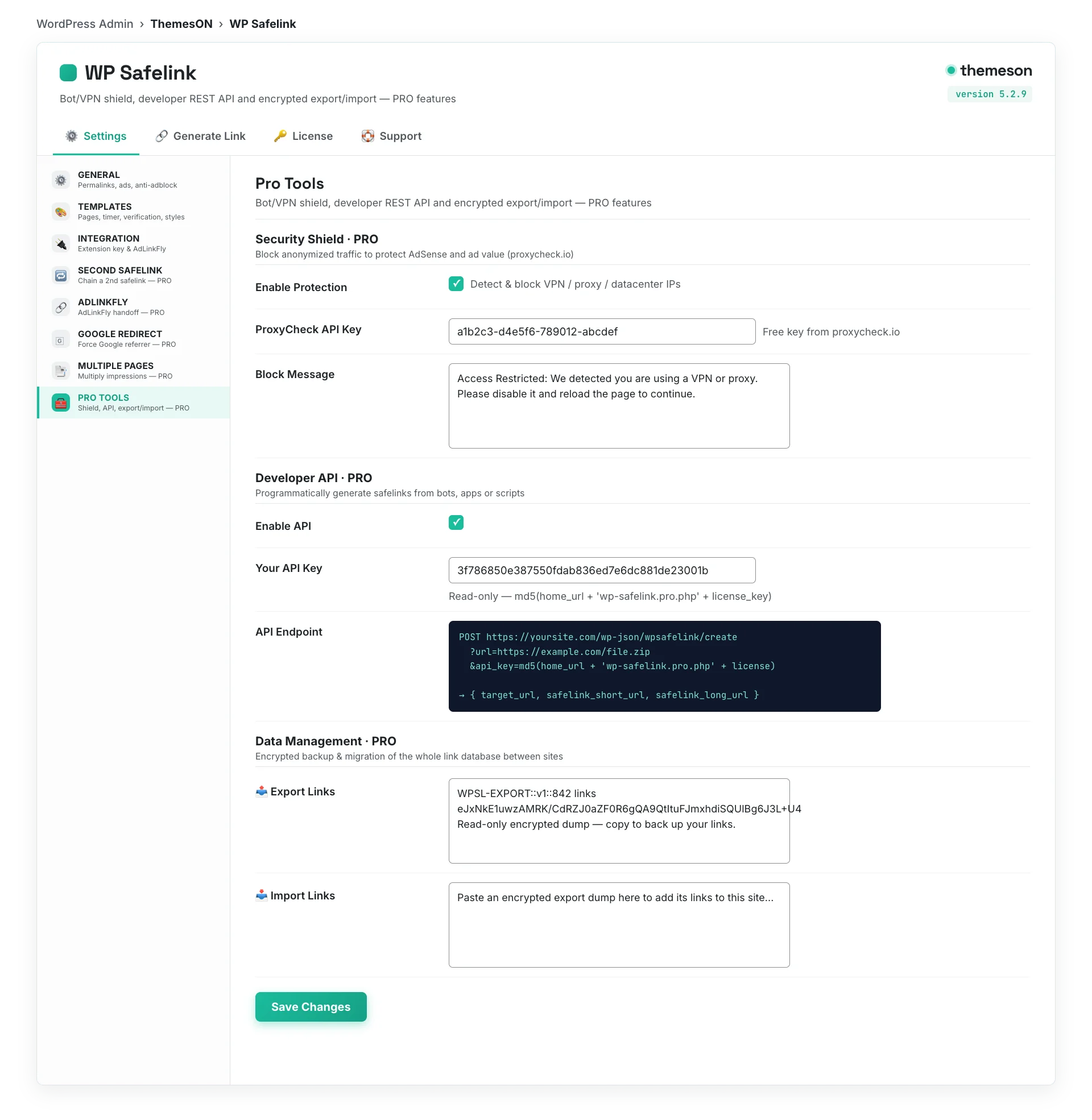
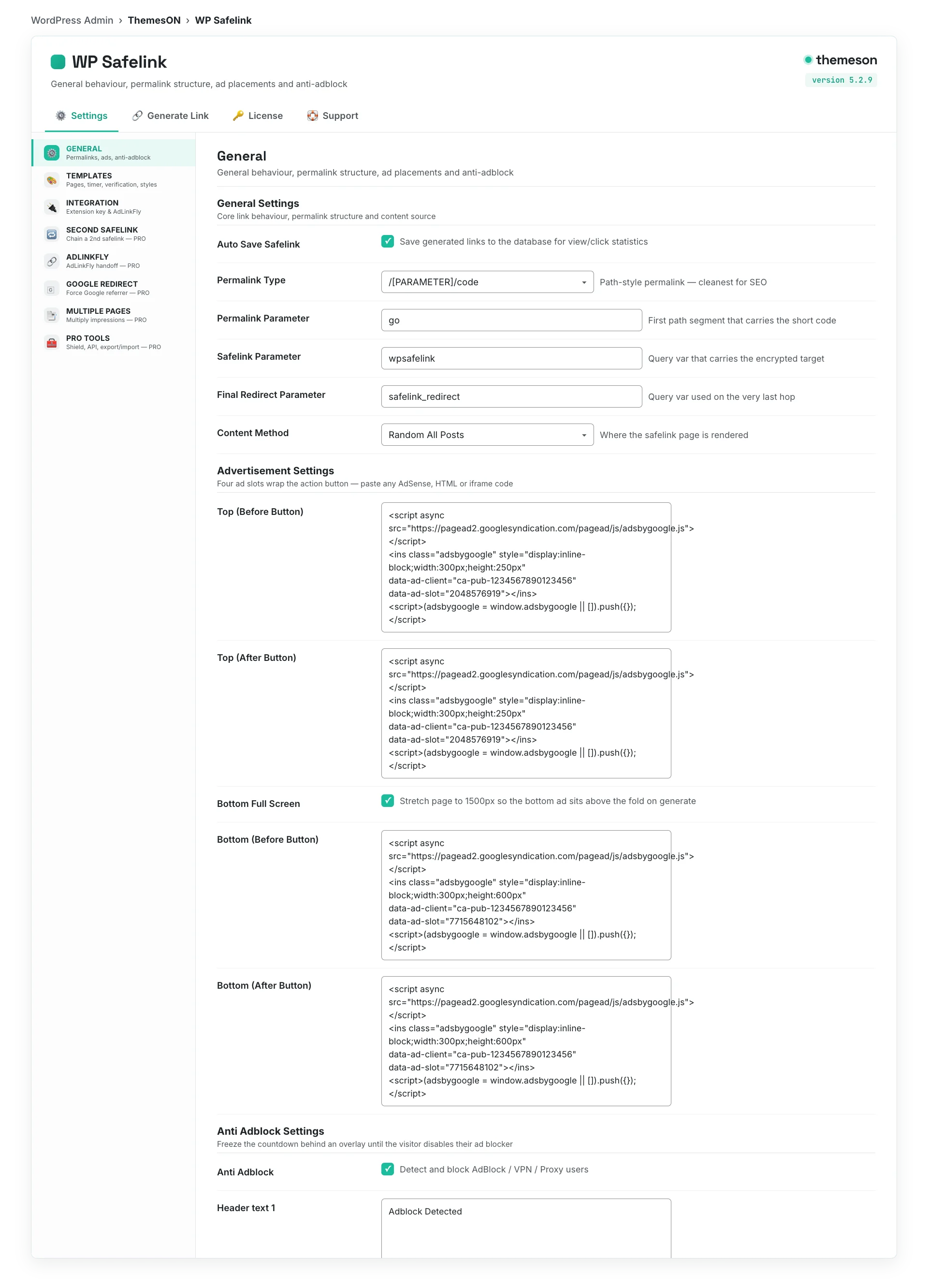
Configure in Minutes, Not Hours

WP Safelink comes with a clean settings panel. Toggle features on/off, customize behavior, and start monetizing — all from your WordPress dashboard.

  •   Enable/disable anti-adblock per page
  •   Choose automatic or manual safelink mode
  •   Set countdown timer duration
  •   Configure page templates & ad slots
  •   Set link encryption strength
  •   Manage multi-site from one dashboard
WP Safelink — Settings
Anti-Adblock
Bot Protection
Link Encryption AES-256
Safelink Mode Automatic
Countdown Timer 10 seconds
Multiple Pages 3 pages
Captcha
Adlinkfly Integration

Get Started in 3 Steps

1

Install & Activate

Download from your member area, upload to WordPress, activate. Enter your license key and you're connected.

2

Configure Settings

Toggle features, set your ad codes, choose safelink mode (auto or manual), configure pages and timers.

3

Watch Revenue Grow

Every link on your site is now monetized. Track clicks, views, and revenue from your WordPress dashboard.

Who Uses WP Safelink?

📥

Download & File Sharing Blogs

The #1 use case. Every download link passes through your safelink pages with ads. Users are already motivated to click — monetize that intent. Software, fonts, templates, resources — any downloadable content becomes a revenue stream.

🎬

Anime & Streaming Sites

Streaming links are clicked thousands of times per day. WP Safelink encrypts and routes each click through ad-filled pages. Combined with anti-adblock, you monetize even tech-savvy anime fans who run adblockers.

🤖

Auto-Generated Content Sites

Running auto-content with Playposter or similar tools? WP Safelink automatically converts all outbound links. Zero manual work — just install and every external link becomes a revenue opportunity.

🔗

Adlinkfly + Safelink Combo

Run both an Adlinkfly URL shortener and WP Safelink for double monetization. Users see ads on the shortener page, then again on the safelink page. Two revenue events per single click.

WP Safelink vs Other Safelink Solutions

See how WP Safelink compares to other link monetization and safelink alternatives for WordPress.

Feature WP Safelink PRO Manual Safelinks Other Plugins
Anti-Adblock Technology Built-in No No
Bot & Proxy Detection VPN + Proxy + Bot No Basic only
Link Encryption AES-256 No Base64 only
Multiple Page System 2-∞ pages 1 page Limited
Automatic Link Conversion All links auto Manual only Some
Adlinkfly Integration Double revenue No No
Google Redirect Capture organic No No
Multi-Website Support Client plugin Per-site Varies
Captcha Integration hCaptcha + reCaptcha No reCaptcha only
Regular Updates Active (v5.2.7) N/A Varies
Price $9-199 Free (manual work) $20-100+/year

What Our Users Say

★★★★★
"I went from $50/month to $2,000/month in just 3 months using WP Safelink. The anti-adblock feature is a game changer."
SM
Sarah M.
Anime Blog Owner
★★★★★
"Playposter helped me build an APK download site that generates $5,000/month on autopilot. Best investment ever!"
MT
Mike T.
Download Site Owner
★★★★★
"The Anti-Bot technology saved my AdSense account. I was getting tons of invalid clicks before switching to Themeson."
AK
Alex K.
Content Creator

Choose Your Plan

All plans include updates and support. Use code NEWHOPE for 25% OFF.

Lite

Essential safelink features

$9/year
$12/year
  • Auto Safelink
  • Link Encryption
  • 6 Page Templates
  • 1 Domain
  • Community Support
  • Anti-Adblock
  • Multiple Pages
  • Bot Protection
Get Lite

Standard

Full features for bloggers

$19/year
$25/year
  • Everything in Lite
  • Anti-Adblock
  • 3 Multiple Pages
  • hCaptcha/reCaptcha
  • Adlinkfly Integration
  • Multi-site Client
  • 10 Domains
  • Email Support
Get Standard

Agency

White-label ready

$99/year
$132/year
  • Everything in PRO
  • Unlimited Domains
  • White-label Ready
  • Client Management
  • Dedicated Support
Get Agency
BEST VALUE

Lifetime

Pay once, own forever

$199 one-time
$265 one-time
  • PRO Features Forever
  • No Renewals
  • Lifetime Updates
  • 10 Domains
  • Priority Support
Get Lifetime

Complete Feature Comparison

Feature Lite Standard PRO Agency Lifetime
Auto Safelink
Link Encryption
Page Templates 6 6 All All All
Anti-Adblock
Multiple Pages 3 pages Infinite Infinite Infinite
hCaptcha/reCAPTCHA
Anti Bot/VPN
Google Redirect PRO
Adlinkfly Integration
Multi-site Client
Domains 1 10 10 Unlimited 10
Support Community Email Priority Dedicated Priority
Renewal Yearly Yearly Yearly Yearly Never

Version History & Changelog

We actively maintain WP Safelink with regular updates, new features, and improvements. Current version: v5.2.7

Auto-update enabled — update directly from your WordPress dashboard
v5.2.6 Latest Enhancement
February 2026
  • NEW License Management Tab — dedicated UI for license activation, status, and deactivation
  • NEW Phone-home License Verification — automatic license checks every 12 hours with 7-day grace period
  • IMPROVED Cache compatibility mode refactored — removed legacy CSS/JS from core functions
  • IMPROVED UI refreshed with updated colors, new pricing structure, and reorganized settings
  • IMPROVED Feature degradation system — PRO features degrade gracefully when license lapses
  • FIXED Ad click verification moved to separate feature branch for stability
v5.2.5 Feature Release
January 2026
  • NEW Ad Click Verification — verify real ad clicks with cookie-based verification (PRO)
  • NEW Custom Content Page — show customizable content page before Google redirect (PRO)
  • IMPROVED Google redirect handling refactored with cookie-based verification
  • IMPROVED Anti-adblock display logic updated for better compatibility
  • IMPROVED ionCube Loader detection with better error handling
v5.2.4 Enhancement
September 2025
  • IMPROVED Link generation logic — prevent recursive redirects to safelink pages
  • IMPROVED Human verification cookie management based on settings
  • FIXED Cleaned up deprecated captcha options from settings panel
  • IMPROVED CSS styles for better layout and mobile responsiveness
  • FIXED Prevented multiple renderings of safelink sections
v5.2.3 Major Update
September 2025
  • NEW Setup Wizard — step-by-step configuration with Auto Integration
  • NEW Default settings integration for quick setup
  • IMPROVED License management UI completely redesigned
  • IMPROVED Settings layout overhauled for better usability
  • IMPROVED Multiple pages handling refined
v5.2.2 Enhancement
August 2025
  • NEW Integration status section — see which themes are compatible at a glance
  • NEW Countdown timer with customizable settings
  • IMPROVED Adlinkfly handling refactored for reliability
  • IMPROVED Help icons added to all settings fields
  • IMPROVED PRO features settings UI enhanced
v5.2.1 Enhancement
August 2025
  • NEW Second Safelink feature — integration key validation and redirect handling
  • NEW License encryption and secure migration from file-based storage
  • IMPROVED Pro Tools — consolidated Anti Proxy/VPN and API tabs
  • IMPROVED Session management and redirect handling refined
v5.2.0 Major Release
August 2025
  • NEW Multiple pages functionality with article hop continuation
  • NEW Google Redirect with transient management and detailed instructions
  • IMPROVED Adlinkfly integration — improved tutorial and configuration steps
  • IMPROVED Transient management for better performance

Frequently Asked Questions

What is WP Safelink and how does it work?
WP Safelink is a WordPress plugin that converts every external link on your website into monetized safelink pages. When a visitor clicks an external link, instead of going directly to the destination, they pass through one or more intermediate pages with your ad placements (Google AdSense, etc.). The plugin encrypts links so they can't be bypassed, includes anti-adblock technology to show ads to all visitors, and blocks bot traffic to protect your AdSense account. It works automatically — install, activate, configure your ad codes, and every external link on your site becomes a revenue opportunity.
Is WP Safelink compatible with my WordPress theme?
Yes! WP Safelink works with any WordPress theme — it's theme-independent. It creates its own safelink pages with customizable templates that are separate from your theme's design. You can customize the look and feel of the safelink pages to match your site. It's also compatible with popular page builders like Elementor, and works alongside other plugins without conflicts.
Will WP Safelink get my Google AdSense account banned?
No. WP Safelink is specifically designed to be AdSense-compliant. The anti-adblock feature displays ads naturally without forced clicks or deceptive behavior. In fact, the bot protection feature actively prevents invalid clicks from bots, proxies, and VPNs — which is one of the main causes of AdSense account suspensions. Many users report that their AdSense accounts are safer with WP Safelink installed.
What's the difference between plans?
WP Safelink offers 5 plans to fit different needs: Lite ($9/year) provides essential safelink features with link encryption and 1 domain — perfect for testing. Standard ($19/year) adds anti-adblock, 3 multiple pages, and 10 domains — ideal for bloggers. PRO ($49/year) includes bot/VPN protection, infinite pages, and Google Redirect PRO — for serious publishers. Agency ($99/year) offers unlimited domains and white-label capabilities — perfect for client work. Lifetime ($199 one-time) gives you PRO features forever with no renewals — best long-term value. See the feature comparison table for complete details.
How does the anti-adblock feature bypass adblockers?
WP Safelink uses a proprietary approach to display ads even when visitors have adblockers enabled. Unlike popup-based anti-adblock solutions that annoy users with "please disable your adblocker" messages, WP Safelink loads ads silently in the background. This method works with all major adblockers including uBlock Origin, AdBlock Plus, AdGuard, and Brave browser's built-in blocker. The result: your ads display to 100% of visitors instead of just 60-70%, instantly recovering 30-40% of lost revenue.
Can I use WP Safelink on multiple websites?
Yes! Both Full and PRO versions support multiple website integration. WP Safelink includes a Client Version plugin that you install on satellite sites. All satellite sites route their links through your main WP Safelink installation. This means you can manage safelinks for dozens of websites from a single dashboard — perfect for network publishers and multi-site operators.
How does the Adlinkfly integration double my revenue?
If you run an Adlinkfly URL shortener (or similar service), WP Safelink can automatically route links through both platforms in sequence. When a user clicks a link: first they visit the Adlinkfly page (earning shortener revenue), then they're redirected to the WP Safelink page (earning AdSense revenue), and finally they reach the destination. Two ad impressions per single click = double the revenue. The integration is seamless and requires just a simple configuration in the settings panel.
How does the multiple page system multiply impressions?
The multiple page system creates a configurable sequence of intermediate pages (2-5 in Full, unlimited in PRO) before the final destination. Each page has its own ad placements — different positions, different sizes, different ad units. A single click from a visitor generates 3-5 page views, each with ad impressions. For a site with 10,000 daily clicks, that's 30,000-50,000 ad impressions instead of 10,000. Countdown timers on each page ensure visitors engage with the content before proceeding.
Is there a free version of WP Safelink available?
WP Safelink does not offer a free version. The Lite plan starts at just $9/year, which provides essential safelink features including link encryption and auto-generation. This pricing model ensures continued development, regular updates, premium support, and new feature releases. At $9/year (~$0.75/month), the plugin typically pays for itself within the first day of use through increased ad revenue. Beware of "nulled" or "cracked" versions circulating online — these often contain malware and won't receive updates.
How does WP Safelink protect against bot traffic and invalid clicks?
WP Safelink PRO includes a comprehensive bot protection system that detects and blocks: known bot user agents, traffic from VPNs and proxy servers, suspicious IP addresses from bot databases, and non-human behavior patterns. When bot traffic is detected, the visitor is redirected away from your ad pages — protecting your AdSense account from invalid click flags. You can also integrate hCaptcha or reCaptcha as an additional verification layer for human visitors.
What payment methods do you accept?
We accept PayPal, credit cards (Visa, Mastercard, American Express via PayPal), and bank transfer. Your license key is generated and delivered instantly after payment. Visit our How to Purchase page for step-by-step instructions and all available payment options.
Do I get updates and premium support?
Yes. Your license includes 1 year of automatic updates and premium support via our helpdesk. Updates are delivered directly through your WordPress dashboard — just click "Update" when a new version is available. We release updates regularly with new features, security improvements, and compatibility fixes. See the version history section on this page for recent updates. Current version: v5.2.7.
What types of websites work best with WP Safelink?
WP Safelink works best with websites that have external/download links visitors are motivated to click: download blogs (software, fonts, templates, resources), anime and streaming sites, auto-generated content sites (using tools like Playposter), file sharing portals, coupon/deal sites, and any WordPress site with outbound links. The more external links your site has and the more motivated your visitors are to click them, the more revenue WP Safelink generates.
How do I install and set up WP Safelink?
Installation takes about 5 minutes: (1) Download the plugin from your member area after purchase, (2) Go to WordPress Dashboard → Plugins → Add New → Upload Plugin, (3) Upload the ZIP file and click Install, (4) Activate the plugin and enter your license key, (5) Follow the built-in Setup Wizard to configure your ad codes, safelink mode, and features. The Setup Wizard walks you through every step with default settings that work for most sites. You can fine-tune settings later from the WP Safelink settings panel.
Can WP Safelink work with Google Redirect to capture organic traffic?
Yes! The Google Redirect feature (available in both Full and PRO, with enhanced features in PRO) captures organic search traffic by intelligently redirecting visitors who arrive from Google search results through your safelink pages before they reach the destination content. This means even organic traffic generates ad impressions. The PRO version includes Google Redirect PRO with advanced targeting, custom content pages before redirect, and ad click verification for maximum revenue from organic visitors.

Start Monetizing Every Link Today

Join 1,400+ website owners who turned their links into revenue streams with WP Safelink PRO.

Code NEWHOPE for 25% OFF · From $9/year · Free updates & support