Software Download Blog: Complete Monetization Setup Guide
On this page
#Building a Profitable Software Download Blog
A software download blog represents one of the most lucrative niches for AdSense monetization—when done correctly. Users actively seeking software are highly engaged, visit multiple times, and are willing to navigate through pages to get what they need. This guide covers the complete monetization setup for software and application download sites.
Whether you’re sharing freeware, open-source tools, or trial versions, these strategies will help you maximize revenue while staying fully compliant with advertising policies.
#Understanding Software Download Site Traffic
Software download visitors behave differently from typical blog readers:
#Traffic Characteristics
- High intent: Visitors know exactly what they want
- Quick visits: Download and leave in under 60 seconds
- Return visits: Users come back for updates and new software
- Technical audience: Higher ad blocker usage rates
These patterns require specialized monetization approaches that traditional display advertising can’t address.
#Setting Up Your Download Blog Structure
Proper site architecture is essential for both user experience and monetization:
#Recommended Page Types
- Home/Category pages: Software listings and navigation
- Software detail pages: Descriptions, screenshots, requirements
- Download pages (safelinks): Where monetization happens
- Version history: Changelogs and update information
#Implementing the Safelink Monetization Layer
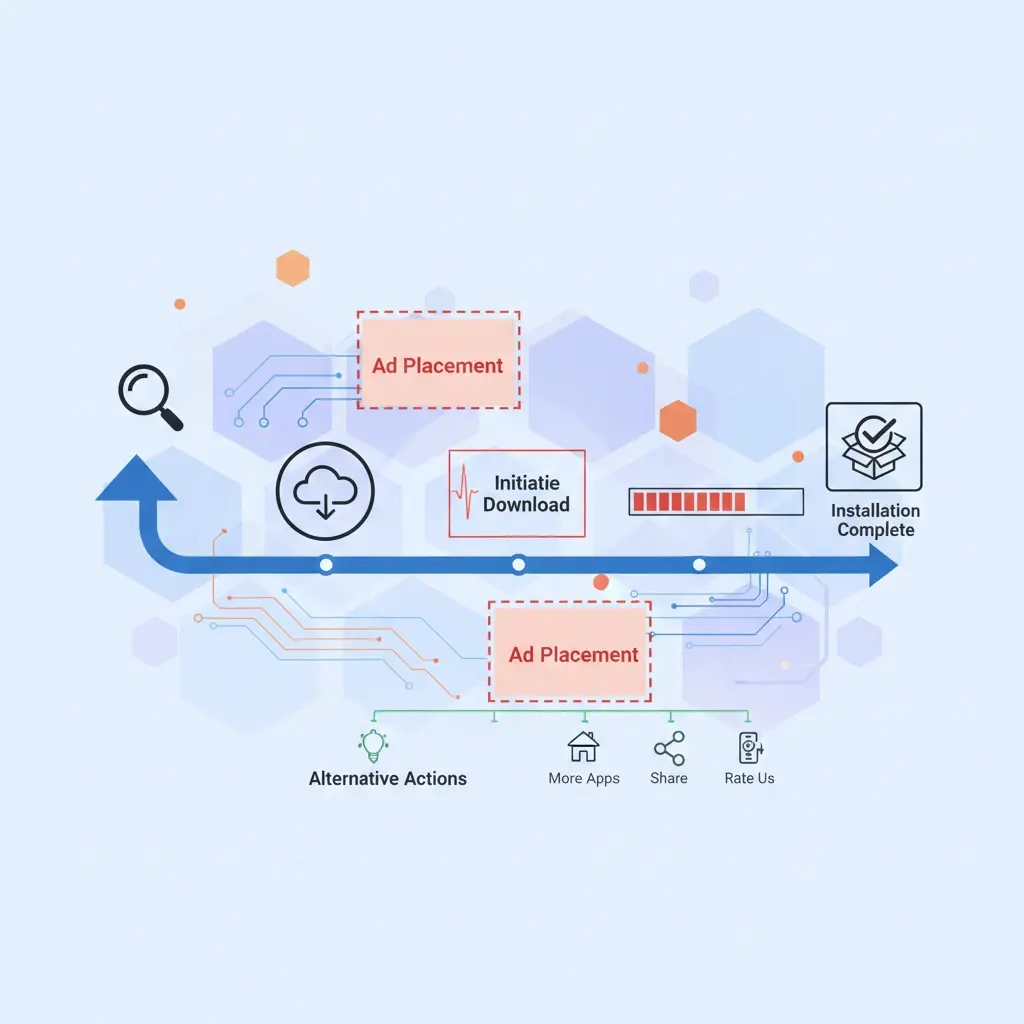
The key to software download blog monetization is the safelink layer:
#How It Works
- Visitor finds software they want on your detail page
- They click the download button
- They’re directed to a safelink page (with ads and countdown)
- After the timer, they receive the actual download link
#Setting Up with WP Safelink
- Install and activate WP Safelink
- Create custom download button that links to safelink URLs
- Configure your safelink page template with software details
- Place AdSense units strategically on the safelink page
- Set countdown timer to 10-15 seconds
#Content Requirements for Each Page Type
#Software Detail Pages
- Comprehensive description (300+ words)
- Screenshots and preview images
- System requirements
- Version information
- User reviews or ratings
- Related software recommendations
#Safelink/Download Pages
- File name and size
- Virus scan status
- Download countdown timer
- AdSense ad placements
- Installation instructions
#AdSense Placement Strategy
Optimize your ad placements for maximum revenue:
#On Safelink Pages
- Above countdown: Display ad (336×280 or responsive)
- Below countdown: Native ad or link unit
- Sidebar: Skyscraper or vertical display ad
#Ad Density Guidelines
Keep total ad content under 30% of visible page area to maintain AdSense compliance and user experience. Three ad units per safelink page is typically the maximum recommended.
#Protecting Your AdSense Account
Software download sites face elevated suspension risks. Implement these protections:
#Anti-Bot Measures
- Enable WP Safelink’s anti-bot protection
- Block VPN and proxy traffic from ad pages
- Monitor for unusual click patterns
#Content Compliance
- Never host pirated or cracked software
- Don’t distribute malware or potentially unwanted programs
- Ensure all software is properly licensed for distribution
- Include accurate file information
#Maximizing Revenue Per Download
Use these techniques to increase earnings:
#Multiple Page System
With WP Safelink PRO, route downloads through multiple pages:
- Page 1: File verification (ads)
- Page 2: Download preparation (ads)
- Page 3: Final download link (ads)
This multiplies impressions per download by 3x or more.
#Mirror Links
Offer multiple download mirrors, each through a separate safelink. Users who encounter slow downloads will try alternatives, generating additional impressions.
#Dealing with Technical Audiences
Software download audiences use ad blockers at rates of 40-60%. Counter this with:
- Anti-adblock technology: Recover 30-40% of blocked revenue
- Whitelist requests: Politely ask users to support the site
- Alternative support: Offer premium membership or donations
#Tracking and Optimization
Monitor these key metrics:
- Download completion rate: How many start the process and finish?
- Revenue per download: Total revenue divided by completed downloads
- Page RPM: Revenue per thousand safelink page views
- Bounce rate: Users leaving before completing download
Optimize based on data—test different timer lengths, ad placements, and page designs.
#Launch Your Monetized Download Blog
A properly set up software download blog can generate significant passive income from your traffic. The combination of engaged visitors, multiple page impressions, and anti-adblock recovery creates a powerful monetization engine.
WP Safelink provides everything you need: automatic link conversion, customizable pages, multiple page system, and protection features designed specifically for download sites.
Start monetizing your software downloads. Get WP Safelink and transform your download traffic into consistent revenue.
Turn your traffic into revenue with WP Safelink
Join 2,000+ publishers monetising every download link since 2017. Use code NEWHOPE for 25% off — from just $9/year.