Playposter Complete Guide: Auto-Content for APK & Movie Sites
On this page
If you’re running an APK download site or a movie streaming portal, you know the biggest challenge isn’t getting traffic—it’s keeping your site updated with fresh content. Manually adding hundreds of apps or movies every day is simply not sustainable. That’s where Playposter comes in.
#What is Playposter?
Playposter is a WordPress plugin that automatically fetches and posts content from popular sources like Google Play Store, Apple App Store, and movie databases. It’s designed specifically for content-heavy sites that need constant updates without manual intervention.
Think of it as your 24/7 content manager that never sleeps, never takes breaks, and never makes typos.
#Key Features That Make Playposter Stand Out
#1. Multi-Source Data Fetching
Playposter doesn’t limit you to a single data source. You can pull content from:
- Google Play Store – For Android APK sites
- Apple App Store – For iOS app coverage
- TMDB (The Movie Database) – For movie and TV show sites
- Custom APIs – Connect your own data sources
This flexibility means you can run multiple niche sites from a single plugin installation.
#2. Automatic Scheduling
Set it and forget it. Playposter lets you define:
- How many posts to create per hour/day
- Specific time windows for posting
- Content categories for different types
- Priority queues for trending content
The plugin handles all the scheduling logic, ensuring your site gets fresh content at optimal times for your audience.
#3. SEO-Optimized Templates
Every auto-generated post follows SEO best practices:
- Dynamic titles with keywords
- Meta descriptions pulled from source
- Structured data for rich snippets
- Internal linking to related content
- Image optimization with alt tags
You’re not just getting content—you’re getting search-engine-ready content.
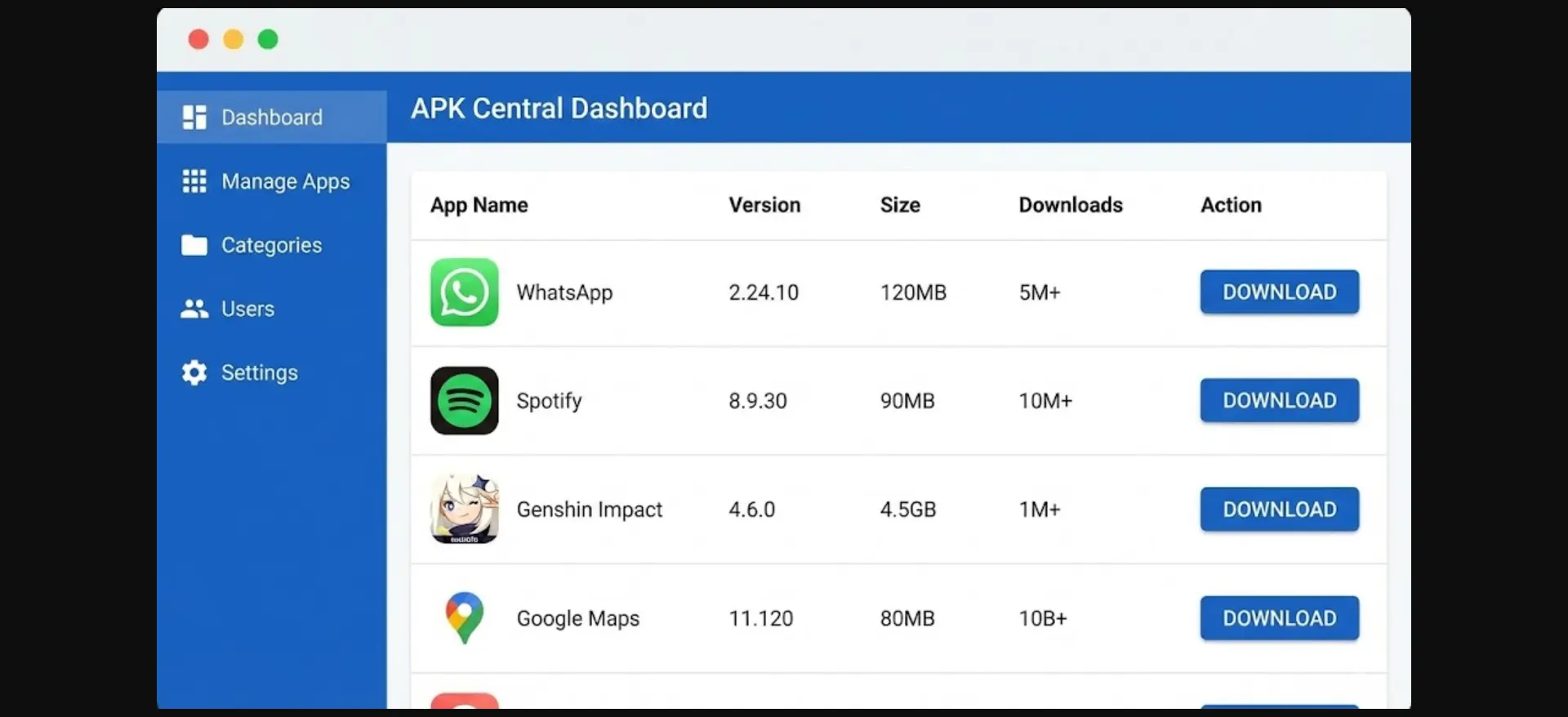
#4. Smart Duplicate Detection
Nobody wants the same app listed 50 times. Playposter’s duplicate detection system:
- Checks existing posts before creating new ones
- Updates existing entries when source data changes
- Maintains clean URLs without conflicts
- Preserves your site’s integrity
#Setting Up Playposter: Step-by-Step
#Step 1: Install and Activate
- Download Playposter from your Themeson account
- Upload to WordPress via Plugins → Add New → Upload
- Activate the plugin
- Enter your license key
#Step 2: Configure Your Data Source
Navigate to Playposter → Settings → Data Sources:
- Select your primary source (e.g., Google Play)
- Enter API credentials if required
- Choose content categories to fetch
- Set language and region preferences
#Step 3: Design Your Post Template
Playposter uses template tags to format your posts. A typical APK site template might include app details, screenshots, and download buttons – all automatically populated from your data source.
#Step 4: Set Your Schedule
Under Playposter → Schedule:
- Define posts per day (recommended: 20-50 for new sites)
- Set active hours (match your audience’s timezone)
- Enable/disable weekend posting
- Configure priority for trending apps
#Step 5: Launch and Monitor
Hit the “Start Automation” button and watch your site grow. The dashboard shows posts created, queue status, error logs, and performance metrics.
#Monetization Strategies with Playposter
#Strategy 1: AdSense Integration
Place ad units strategically in your template:
- Above the download button (highest CTR)
- Between app details and description
- In the sidebar for desktop users
- Native ads within screenshot galleries
#Strategy 2: Combine with WP Safelink
This is where Playposter truly shines. By integrating WP Safelink:
- All download links become safelinks
- Users see 2-3 ad-filled pages before download
- Revenue per download increases 3-5x
- Bot traffic gets filtered automatically
The combination creates a passive income machine.
#Strategy 3: Affiliate Links
For movie sites, add affiliate links to streaming services (Netflix, Prime, etc.), DVD/Blu-ray purchases, and merchandise related to movies. Playposter can automatically insert these based on content type.
#Performance Optimization Tips
#Tip 1: Use Caching Wisely
Auto-generated content benefits hugely from caching. Enable page caching for all posts, use object caching for database queries, implement CDN for images, and set appropriate cache expiration times.
#Tip 2: Optimize Image Handling
Playposter downloads images from sources. To optimize, enable WebP conversion, set maximum image dimensions, use lazy loading, and compress on upload.
#Tip 3: Database Maintenance
With thousands of posts, your database needs care. Schedule weekly database optimization, archive old low-traffic posts, clean post revisions regularly, and index custom fields properly.
#Common Questions About Playposter
Q: Will Google penalize auto-generated content?
A: Not if done correctly. Playposter creates unique posts with proper formatting, original meta descriptions, and value-added elements like download buttons and version history.
Q: How many posts can I create daily?
A: There’s no hard limit, but we recommend 20-50 posts daily for new sites, scaling up to 100+ as your site authority grows.
Q: Can I edit auto-generated posts?
A: Absolutely. Every post is a regular WordPress post that you can edit, enhance, or customize as needed.
Q: Does it work with any theme?
A: Yes, but Playposter themes (APK Theme, Movie Theme) are optimized for the content structure and include matching design elements.
#Conclusion
Playposter transforms the tedious work of content creation into a fully automated process. Whether you’re running an APK download site, a movie database, or any content-heavy portal, this plugin lets you focus on growth while it handles the daily grind.
Combined with WP Safelink for monetization, you have a complete ecosystem for building profitable content sites with minimal ongoing effort.
Ready to start? Get Playposter today and launch your auto-content empire.
Start Building Your APK Download Site Today
Join 288+ site owners using Playposter to create profitable APK download portals on autopilot. Plugin + theme included — launch in under 30 minutes.