Activating Your License
Quick answer: A license key unlocks WP Safelink and turns on the features for your plan. You enter the key once during the Setup Wizard (or later on the License tab), and...
On this page
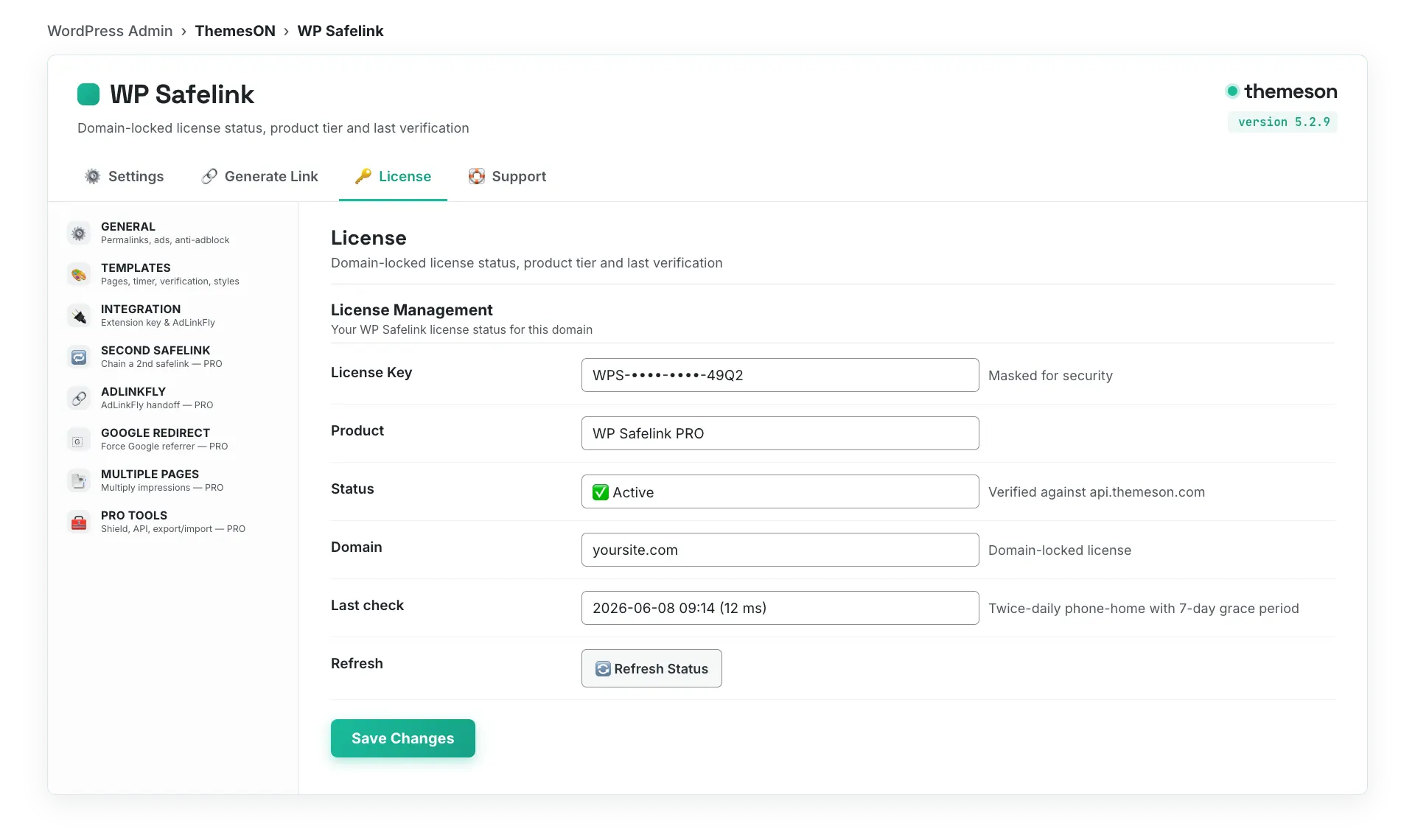
A license key unlocks WP Safelink and turns on the features for your plan. You enter the key once during the Setup Wizard (or later on the License tab), and WP Safelink validates it against the Themeson license server and locks it to your domain. This page covers the plans, how to enter your key, and how domain locking works.
#License plans
Every plan includes the core safelink engine — countdown pages, anti-adblock, templates, and AdSense ad slots. The higher tiers add the PRO features and more domains. Pick the plan that matches how many sites you run.
| Plan | Price | Best for |
|---|---|---|
| Lite | $9 / year | A single small download site getting started with monetization. |
| Standard | $19 / year | Growing sites that want the full core feature set (most popular). |
| PRO | $49 / year | Unlocks all PRO features — Anti-Bot/VPN, Google Redirect, Multiple Pages, Second Safelink, Developer API (recommended). |
| Agency | $99 / year | Running several sites — PRO features across multiple domains. |
| Lifetime | $199 one-time | Pay once, keep PRO features and updates for life. |
#How to activate your key
- Copy your license key from your Themeson account (it looks like
wpsafelink-pro-XXXXXXXX). - In WordPress, open WP Safelink → License (or use the License step in the setup wizard).
- Paste the key into the License Key field and click Activate.
- WP Safelink checks the key against the Themeson server. On success the title switches to ( PRO Version ) or ( Full Version ) and the status table turns green.
#The License tab
#Domain locking and the grace period
When you activate, your license is locked to the domain it was activated on. This is what stops your key from being reused on pirated copies of your site. A few things to know:
- Each license is valid for the domain (or number of domains) included in your plan.
- WP Safelink quietly re-checks your license with the Themeson server twice a day (“phone home”).
- If the license server is ever briefly unreachable, a 7-day grace period keeps your PRO features running so your site never breaks. After 7 days of no contact, PRO features gracefully step down until validation succeeds again.
- Moving to a new domain? Use the Change License control on the License tab to re-point the key, or contact support to reset the domain.
💡 Note: Activate WP Safelink on your real production domain, not a temporary staging URL — the key locks to wherever it’s first activated. If you develop on staging first, ask Themeson support to allow your dev domain, or simply re-activate once you go live. Once your license is active, continue with The Setup Wizard.