Installing the Blog JavaScript
Quick answer: Installing the Blog JavaScript takes about two minutes. You copy one <script> tag from the Auto Generate Link tab of your WP Safelink settings and paste it into your blog’s...
On this page
Installing the Blog JavaScript takes about two minutes. You copy one <script> tag from the Auto Generate Link tab of your WP Safelink settings and paste it into your blog’s footer, right before the closing </body> tag. WP Safelink rebuilds the script file every time you save your settings, so your conversion rules stay in sync automatically.
#Where to get the tag
- In WordPress admin, open WP Safelink → Auto Generate Link.
- Find the section that explains the blog-website JavaScript — it prints the exact
<script>tag for your domain. - Copy the tag. It always points at
wpsafelink.json your own safelink site.
#The tag to copy
Your tag looks like this (with your real domain in place of YOUR-SAFELINK-SITE):
<script src="https://YOUR-SAFELINK-SITE/wpsafelink.js"></script>#Where to paste it
Place the tag before the closing </body> tag on the site you want to monetize. Putting it at the end of the page means your content has already loaded, so the script can find and rewrite every link.
- WordPress: add it to your theme’s
footer.php, or use a “footer code” / “header & footer scripts” plugin so it survives theme updates. - Blogger: Theme → Edit HTML, and paste it just above
</body>. - Static HTML / custom CMS: add the line to your shared footer template or layout file.
#How it regenerates on save
The wpsafelink.js file is built from your current settings. Every time you click Save on the Auto Generate Link tab, WP Safelink:
- Reads your safelink base URL (the address your converted links point to).
- Bakes in your current include and exclude domain lists.
- Regenerates and writes a fresh, obfuscated
wpsafelink.jsto your site root.
Because the file is rebuilt on save, you never edit it by hand — just change your settings and save, and the live tag picks up the new rules.
#What it looks like
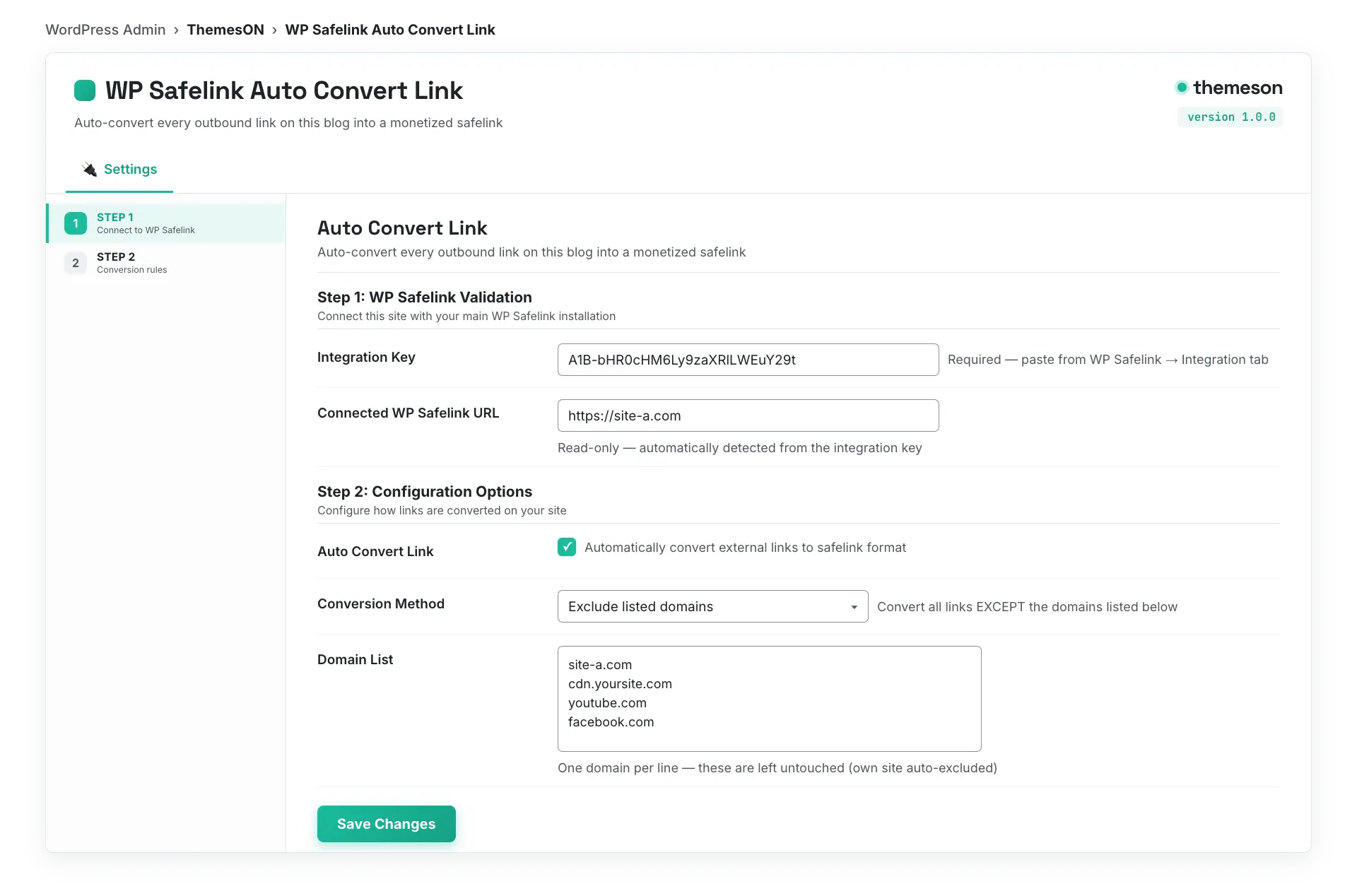
#Configuration that affects the tag
These settings on the Auto Generate Link tab control how the generated script behaves:
| Setting | Default | What it does |
|---|---|---|
| Base URL Safelink | Your site URL (read-only) | The safelink site root that converted links point back to. Used when building wpsafelink.js. |
| Auto Convert Link Method | include | Chooses whether the script converts only listed domains (include) or everything except listed domains (exclude). |
| Include Domain List | Empty | One host per line. In include mode, only links to these hosts are converted. |
| Exclude Domain List | Empty | One host per line. In exclude mode, these hosts (plus your own) are skipped. |
💡 Note: If you use Cloudflare or any full-page cache, clear it after saving — the wpsafelink.js file is regenerated on save, and a stale cache can keep serving the old rules. After installing, open a post, view the page source, and confirm your download hrefs now point at your safelink base URL.