How Safelinks Work
Quick answer: A safelink is a monetized waystation between your visitor and the file they came to download. Instead of handing out the real download URL, WP Safelink sends every click through...
On this page
A safelink is a monetized waystation between your visitor and the file they came to download. Instead of handing out the real download URL, WP Safelink sends every click through one or more ad-filled countdown pages first — so you earn AdSense or display-ad revenue on traffic you were giving away for free.
WP Safelink hides the true destination using AES-256-ECB encryption, then rebuilds it on the fly when the visitor finishes the countdown. Because the link is encrypted, it cannot be scraped, shared, or bypassed by bots.
#The full safelink flow
- Generate — You turn a normal link like
https://site.com/file.zipinto a safelink. See the three URL formats below. - Click & intercept — When a visitor opens the safelink, WP Safelink catches the request, sets a short-lived cookie, and forwards the visitor to your homepage or a random blog post.
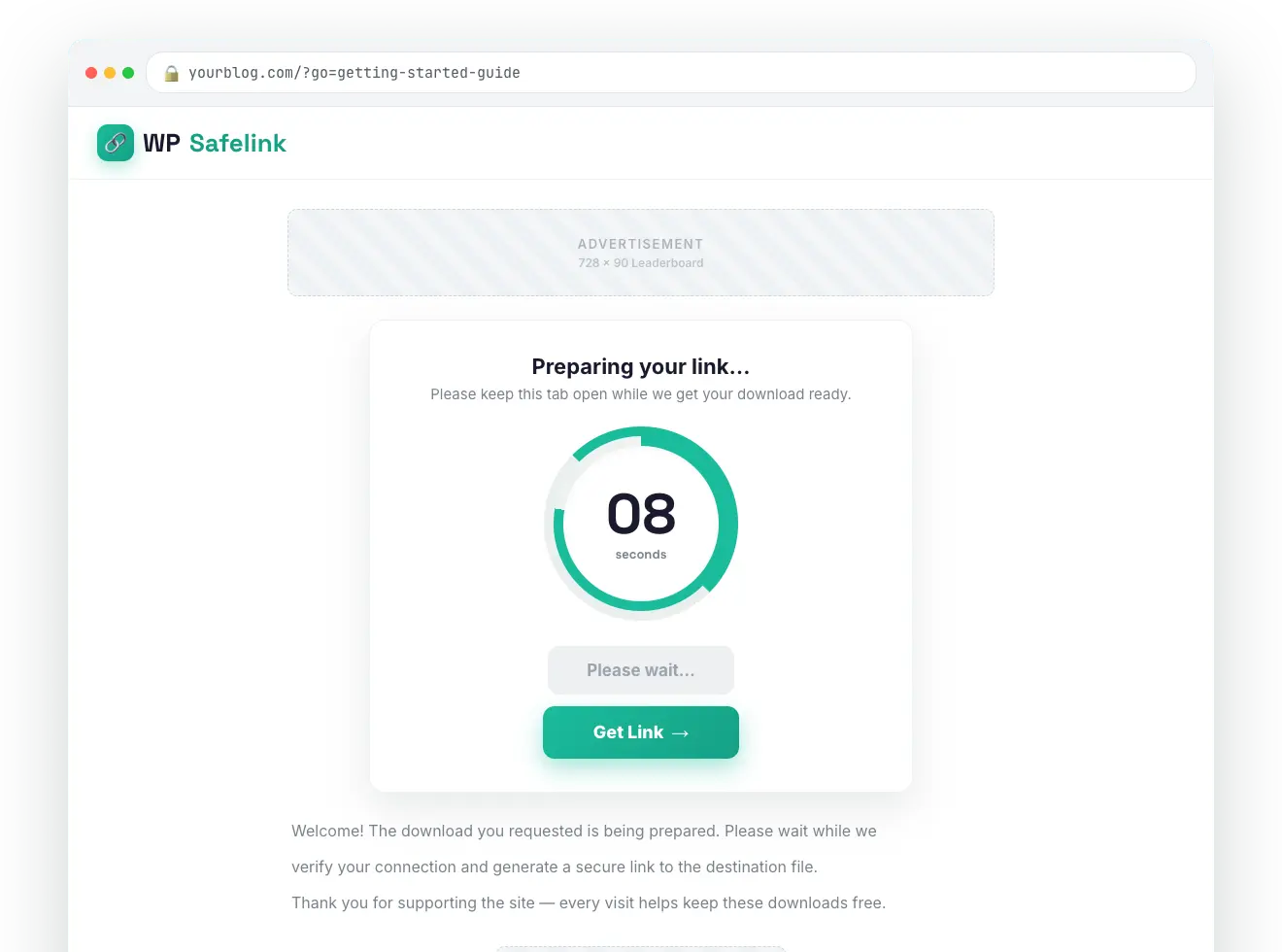
- Landing page — The encrypted target is decrypted and stored in the session, the view counter ticks up, and your chosen page template renders with ads.
- Human verification (optional) — If enabled, an “I’m not a robot” gate appears first. See Human Verification.
- Countdown — A text or circle countdown timer runs while your ads are on screen. Anti-Adblock can freeze the timer if an ad blocker is detected.
- Generate → Wait → Get Link — After the timer, a “Generate Link” button leads to a two-second “Please wait” step, then the final “Download Link” button appears.
- Final redirect — The payload is decrypted, the click counter increments, any PRO hops (Multiple Pages, Google Redirect, Second Safelink, AdLinkFly) run, the cookies are cleared, and the visitor lands on the real file.
#What the visitor sees
#The 3 safelink URL formats
WP Safelink can produce three different link shapes from the same target. All three resolve back to the same encrypted destination — you choose the look that suits your site and SEO.
| Format | Looks like | Best for |
|---|---|---|
| Short ID | /go/abc12345 | Clean, shareable links (an 8-character ID stored in the database) |
| Base64 | /?aHR0cHM6Ly8u... | Stateless links that carry the target without a database row |
| Fully encrypted | /?xKw7..wApbsCadfEeFlgiHnik.. | Maximum protection — the entire destination is AES-256 encrypted inline |
The permalink shape (path vs. query) is controlled on the General settings tab. See Page Templates for how the page itself is rendered.
💡 Note: The encryption uses a shared delimiter (wApbsCadfEeFlgiHnik) so links created on your site also work with the Auto Convert Link and AdLinkFly Integrator extensions. Never change this delimiter — doing so would break every safelink you have already published.
#Where links come from
There is no shortcode or Gutenberg block in WP Safelink. You create safelinks in three ways: from the admin Generate Link tab, through the PRO Developer REST API, or automatically via the Auto Convert Link and AdLinkFly extension plugins.