Advertisement Placements
Quick answer: WP Safelink gives you four dedicated ad slots on every safelink page — two above the download button and two below it — plus an optional full-screen stretch. Drop your...
On this page
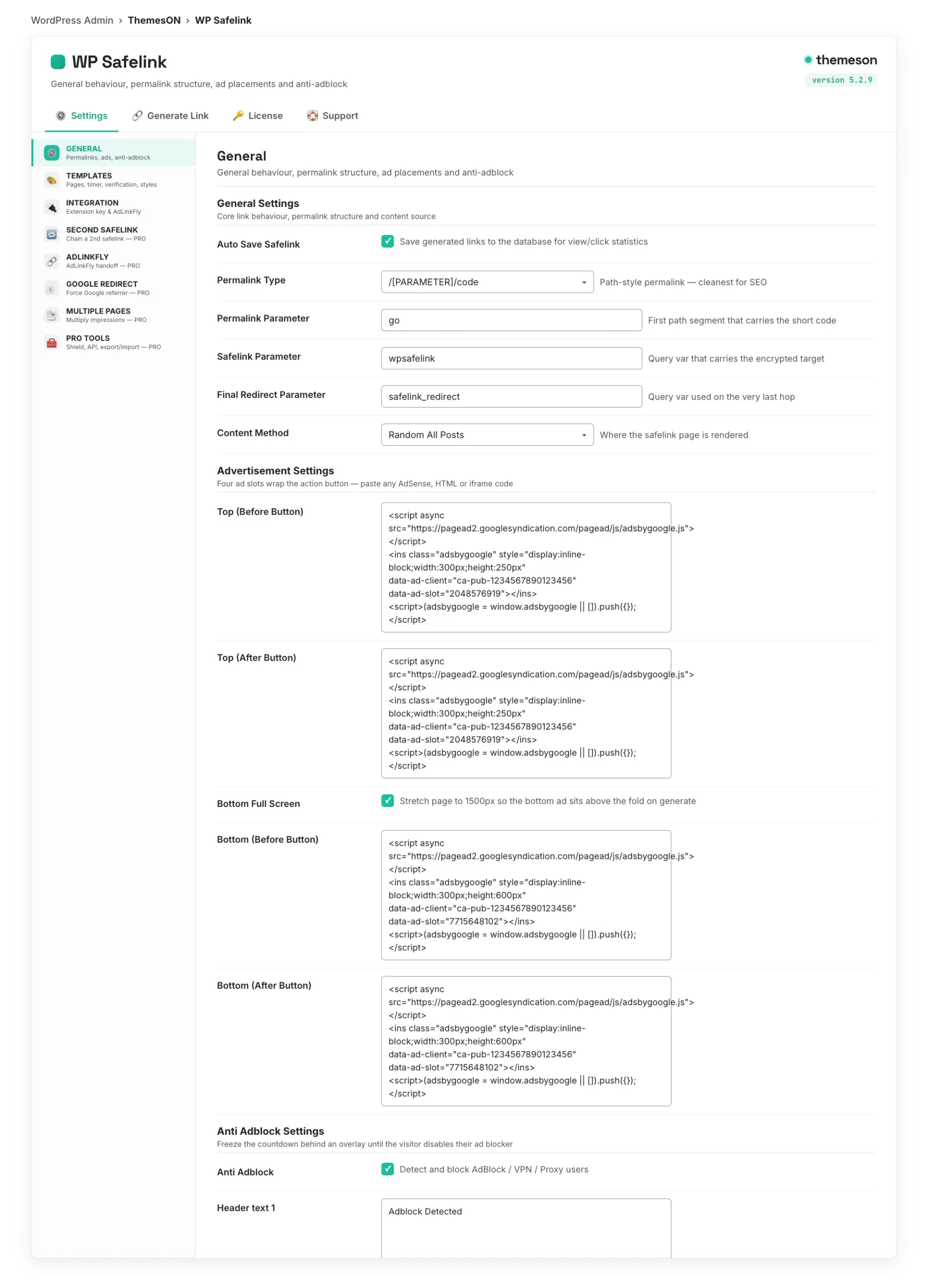
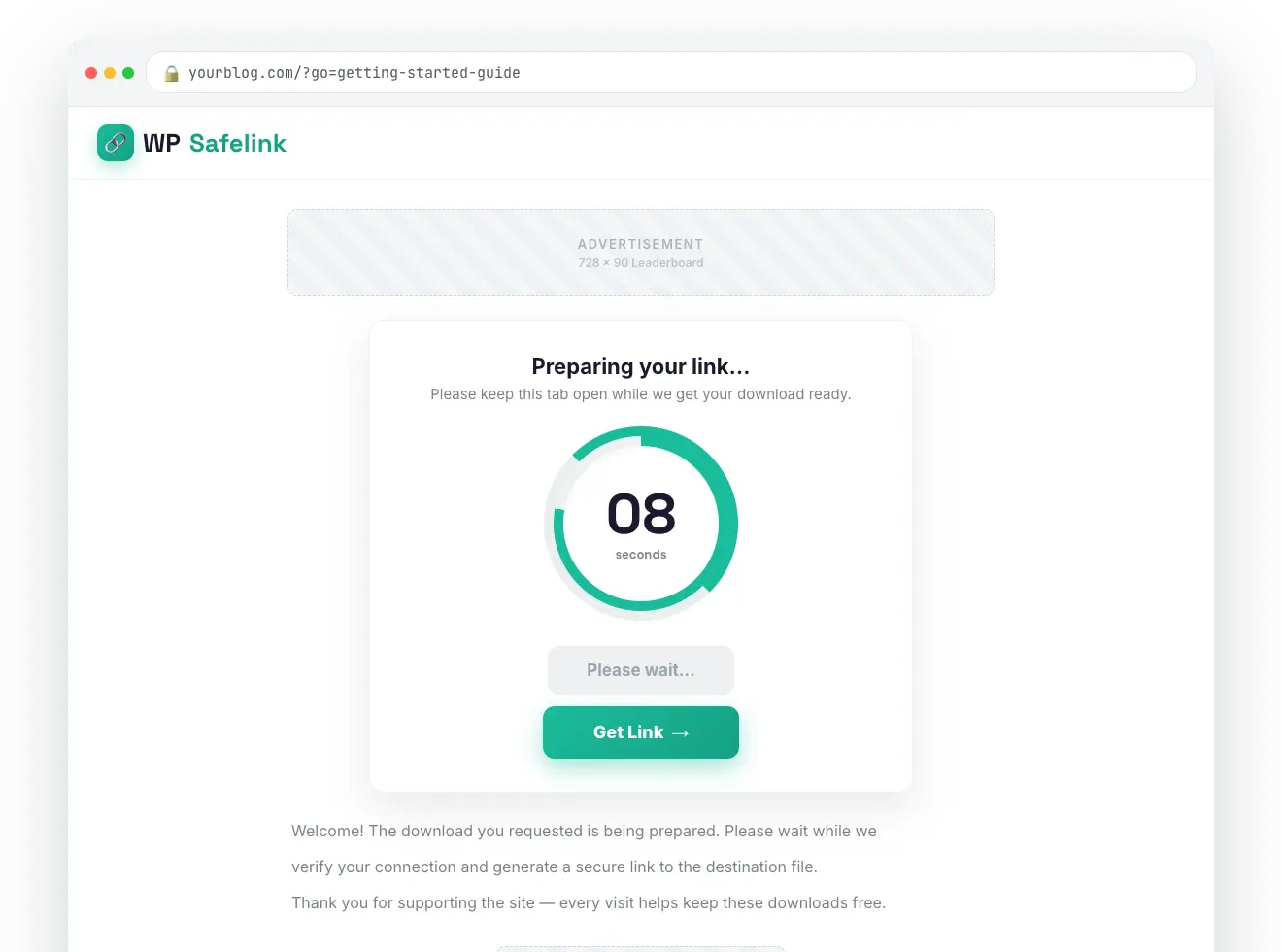
WP Safelink gives you four dedicated ad slots on every safelink page — two above the download button and two below it — plus an optional full-screen stretch. Drop your AdSense or any HTML/iframe ad code into each slot and it appears automatically on every interstitial.
#The four ad slots
Each slot wraps the action button so ads sit exactly where the visitor is looking while they wait for the countdown.
- Advertisement Top (Before Button) — above the button, near the top of the card.
- Advertisement Top (After Button) — just under the top content, before the countdown.
- Advertisement Bottom (Before Button) — below the fold, leading into the button.
- Advertisement Bottom (After Button) — at the very bottom of the page.
#How to add your AdSense code
- Copy your ad unit’s HTML from Google AdSense (or any ad network).
- Open WP Safelink → Settings → General and scroll to Advertisement Settings.
- Paste each ad unit into the slot where you want it to appear.
- Toggle Advertisement Bottom Full Screen if you want the page stretched so a tall ad fills the screen.
- Save changes, then open a safelink to confirm the ads render.
#Configuration
| Setting | Default | What it does |
|---|---|---|
| Advertisement Top (Before Button) | Placeholder 300×250 | Ad/HTML/iframe code shown above the action button. |
| Advertisement Top (After Button) | Placeholder 300×250 | Ad code shown just after the top content block. |
| Advertisement Bottom Full Screen | Yes | Stretches the page height (~1500px) on generate so a tall bottom ad fills the screen. |
| Advertisement Bottom (Before Button) | Placeholder 300×600 | Ad code shown below the fold, before the button. |
| Advertisement Bottom (After Button) | Placeholder 300×600 | Ad code shown at the very bottom of the page. |
#Where the ad slots live
💡 Note: These slots accept any ad code — AdSense, Ezoic, Media.net, direct banners, or a custom iframe. To stop ad-blocker users from skipping your ads entirely, turn on Anti-Adblock Detection, which freezes the countdown timer until the blocker is disabled.