Frequently Asked Questions
Quick answer: Everything site owners ask before and after installing WP Safelink — the WordPress plugin that turns ordinary download links into monetized safelink pages so you earn AdSense revenue from every...
On this page
Everything site owners ask before and after installing WP Safelink — the WordPress plugin that turns ordinary download links into monetized safelink pages so you earn AdSense revenue from every outbound click. Below are the most common questions about themes, SEO, AdSense safety, mobile support, licensing, and refunds.
#Does WP Safelink work with any WordPress theme?
Yes. WP Safelink ships with four self-contained countdown templates (template1 through template4) that render their own page, so they look identical no matter which theme you run. If you prefer your safelink wrapped in your own design, choose the Installed WordPress Theme template and the plugin injects the countdown into your existing header and footer automatically — no need to edit header.php or footer.php. See Choosing a Template for the full comparison.
#Will safelinks hurt my SEO?
No. Safelink interstitial pages are built on your existing posts, so search engines still see real content with a title and body. Your original articles remain fully indexable — only the outbound download link is routed through the countdown page. For extra safety with Google traffic, the PRO Google Redirect feature makes the referrer read as Google, which keeps your monetization aligned with how visitors actually arrive at your site.
#Is WP Safelink safe for my Google AdSense account?
It is designed to be. WP Safelink includes an Anti-Bot / Proxy / VPN Shield (powered by proxycheck.io) that blocks anonymized traffic, plus Human Verification (button click, reCAPTCHA, hCaptcha, or Cloudflare Turnstile) to filter out bots before any ad loads. Used correctly, these protect your account from the invalid-traffic that gets AdSense accounts banned. Read AdSense Safety Best Practices for the full checklist.
#Does the countdown page work on mobile phones?
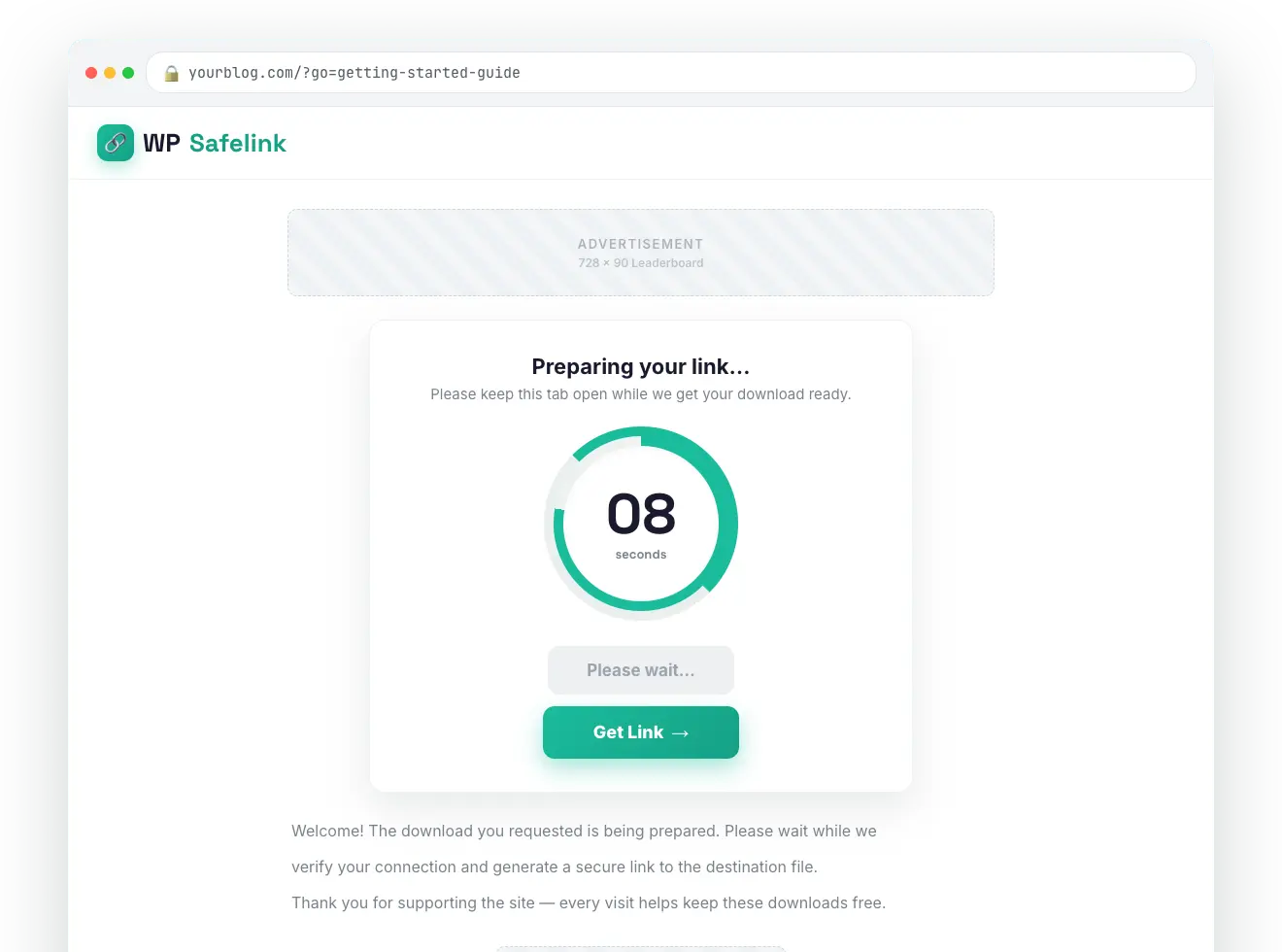
Yes. All four templates and the countdown circle are fully responsive, and a dedicated mobile layout keeps the timer, ad zones, and download button tappable on small screens. Image buttons and the SVG countdown circle scale cleanly, so the experience is the same for desktop and mobile visitors.
#What is the difference between the Full version and the PRO version?
The Full version covers everything you need to monetize: AES-256 link encryption, the four templates, four AdSense ad slots, anti-adblock, human verification, auto-save statistics, and AdLinkFly integration. The PRO version unlocks the advanced revenue multipliers: the Anti-Bot Shield and Developer REST API, Multiple Pages, Google Redirect, Second Safelink, and encrypted Export/Import. PRO features require a license key ending in -pro, -agency, or -lifetime.
#How many domains does one license cover?
Each license is domain-locked to a single WordPress install. The plugin validates against api.themeson.com and caches the result, with a twice-daily check to keep everything in sync. If you need to move to a new domain, open the License tab and use Change License to re-activate on the new site.
#What happens if my server can’t reach the license server?
Nothing breaks immediately. WP Safelink includes a built-in 7-day grace period: if the license server is temporarily unreachable, all PRO features keep working for a full week while the plugin retries in the background. Only after the grace window closes do PRO features gracefully degrade until the connection is restored.
#Do I need ionCube to run WP Safelink?
Yes. WP Safelink PRO requires the ionCube Loader 14.0.0 or newer and PHP 8.3+, because the core engine is encrypted for security. The setup wizard runs an automatic ionCube check before you start, and if the loader is missing it tells you exactly what to ask your host to enable. Almost every modern WordPress host supports ionCube — see Troubleshooting if you hit an ionCube error.
#How do I create a safelink?
There are three ways: paste a URL into the Generate Link tab in wp-admin and click Generate; call the PRO Developer REST API (/wp-json/wpsafelink/create) from a bot or app; or install the Auto Convert Link and AdLinkFly Integrator extension plugins to convert outbound links automatically. There is no shortcode or Gutenberg block in the current PRO product — generation happens through the admin tab, the API, or the extensions.
#Can I track how many views and clicks each link gets?
Yes. Turn on Auto Save Safelink in the General tab and every safelink is saved to your database with live View and Click counters. The Generate Link tab shows a searchable DataTables grid of every link with its date, target URL, and statistics — a lightweight analytics dashboard built right into the plugin.
#Does WP Safelink slow down my site?
No. The plugin only activates on safelink requests — your normal posts and pages load exactly as before. License results are cached so there are no repeated external calls on every page load, and the countdown page is a single lightweight template.
#Is WP Safelink compatible with caching plugins and Cloudflare?
Yes, with one note: safelink pages must not be served from cache, because each visit sets a short-lived cookie and decrypts a fresh target. Exclude your safelink parameter from your caching plugin and from Cloudflare’s cache rules. Full step-by-step instructions are in Troubleshooting Common Issues.
#Do you offer refunds?
Yes — Themeson offers a money-back guarantee within the refund window stated at checkout on themeson.com. If WP Safelink doesn’t work on your hosting and our support team can’t resolve it, you’re covered. Reach out through the Support tab in the plugin or your Themeson account before requesting a refund so we can try to fix the issue first.
#At a glance
💡 Note: Most pre-purchase questions come down to one thing — does it run on your host? Run the built-in setup wizard first: it checks ionCube and PHP for you, so you know in seconds whether your server is ready.