The wpsafelink.js One-Tag Embed
Quick answer: The Blog JavaScript is the fastest way to monetize a website with WP Safelink. You drop a single <script> tag before the closing </body> tag, and from that moment every...
On this page
The Blog JavaScript is the fastest way to monetize a website with WP Safelink. You drop a single <script> tag before the closing </body> tag, and from that moment every outbound download link on the page is rewritten into an encrypted safelink that routes visitors through your monetized countdown page. It works on any website — a WordPress blog, a static HTML site, Blogger, or a custom CMS — because the rewriting happens client-side in the visitor’s browser, with no plugin needed on the other site.
#What the one-tag embed does
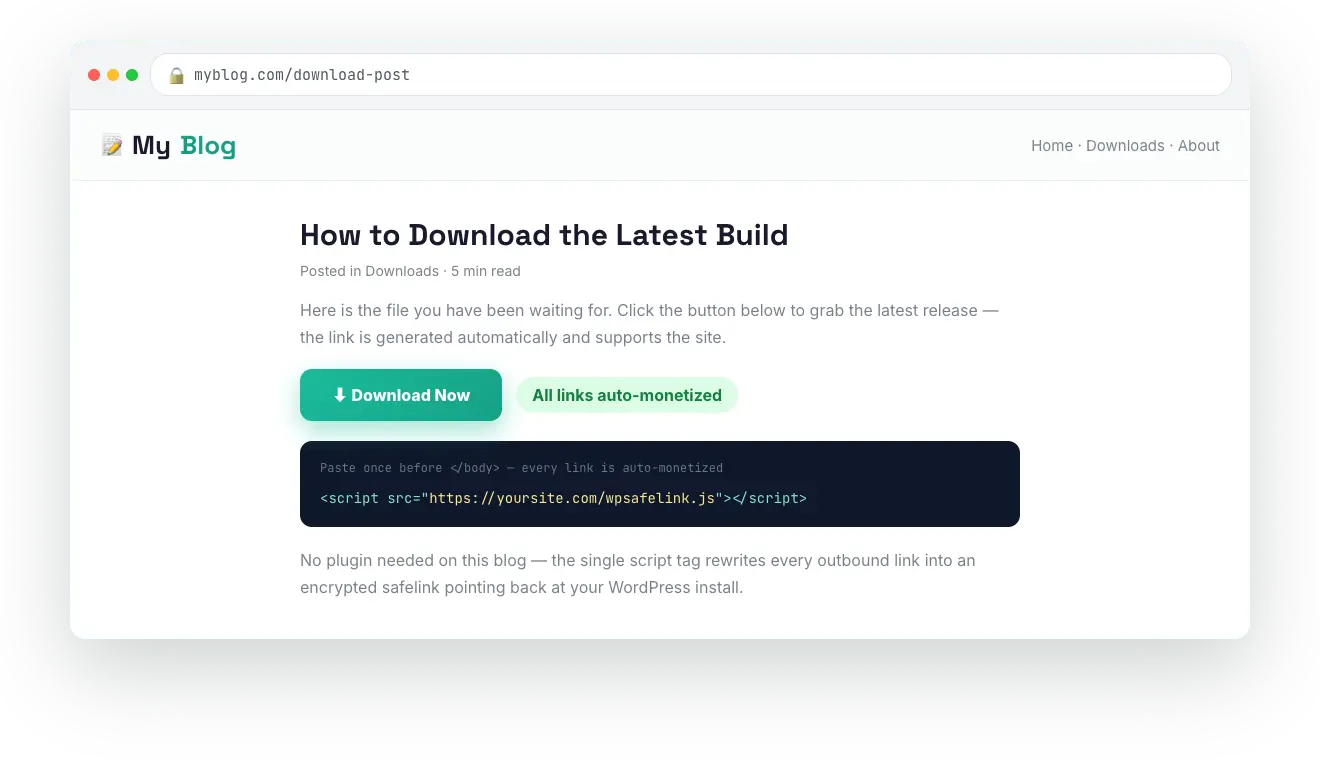
WP Safelink generates a personalized JavaScript file at https://YOUR-SITE/wpsafelink.js. When a page loads that file, the script scans every <a> link on the page and, for each link that matches your conversion rules, replaces the href with a safelink that points back to your WP Safelink install. Visitors who click pass through your countdown page and AdSense ad units before reaching the real download URL — turning ordinary download links into ad revenue automatically.
- One tag, whole site. Paste it once into your footer template and every page is covered.
- No manual link conversion. You keep writing posts with normal
<a href="https://...">Download</a>links. - Works off-WordPress. The tag runs in the browser, so it can monetize a static site, Blogger, Ghost, or any platform that lets you edit HTML.
- Same encryption as the plugin. Links are encrypted with AES-256-ECB using the shared WP Safelink delimiter, so your server decrypts and redirects them exactly like manually created safelinks.
#How it works, step by step
- A visitor opens a page on your blog that loads
wpsafelink.js. - The script waits until its bundled encryption library (CryptoJS) is ready, then walks every link on the page.
- Each link is checked against your include / exclude rules to decide whether it should be converted.
- Matching links get a fresh random key, are encrypted, and the
hrefis rewritten to your safelink base URL (the converted link also opens in a new tab). - When the visitor clicks, they land on your WP Safelink countdown page, see your ads, and are redirected to the original download after the timer finishes.
#What it looks like
#Three ways to monetize links
The Blog JavaScript is one of three monetization methods WP Safelink offers. Pick whichever fits your workflow — they all produce the same kind of encrypted safelink:
| Method | Best for | How links get converted |
|---|---|---|
| Blog JavaScript (this tag) | Any site, especially non-WordPress blogs | Automatically, in the browser, for matching links on every page |
| Shortcode & PHP | Hand-picking specific links inside WordPress | One link at a time via [wpsafelink=URL] |
| Auto Convert (server-side) | A separate WordPress content blog paired to your safelink site | Automatically on the server — see the Auto Convert Link docs |
If you run a separate WordPress content blog and prefer server-side conversion instead of a browser script, see the installation guide and the Auto Convert Link extension.
💡 Note: The Blog JavaScript and the manual shortcode are built into your WP Safelink install. Advanced multi-site automation — like server-side auto-conversion on a second WordPress blog — is handled by the PRO Auto Convert Link extension, which is gated behind a valid WP Safelink PRO license.