Creating Your First Safelink
Quick answer: Once WP Safelink is installed and licensed, creating a safelink takes seconds. The simplest way is the built-in Generate Link tab: paste the URL you want to protect, click Generate,...
On this page
Once WP Safelink is installed and licensed, creating a safelink takes seconds. The simplest way is the built-in Generate Link tab: paste the URL you want to protect, click Generate, and WP Safelink hands you back a monetized safelink you can share anywhere. This page shows you how, explains the three link formats, and how to test the result.
#Generate a safelink in 4 steps
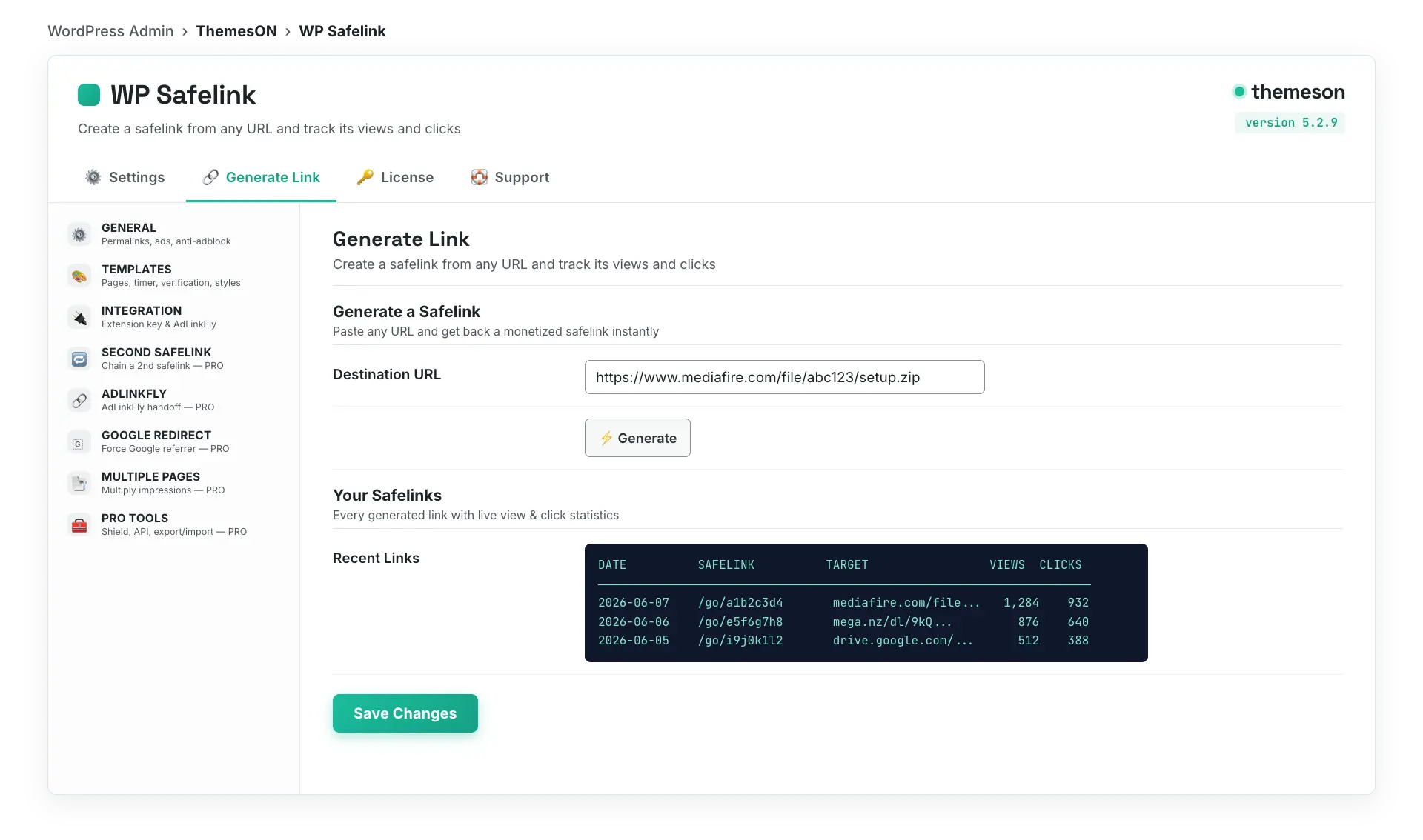
- Go to WP Safelink → Generate Link in your WordPress admin.
- Paste the destination URL (for example
https://site.com/file.zip) into the link field. - Click Generate. WP Safelink returns the target URL plus a short safelink and an encrypted safelink.
- Copy the safelink and use it anywhere — in a post, a button, or an external share. Visitors now go through your countdown and ads before reaching the file.
#The Generate Link tab
#The three safelink URL formats
WP Safelink can produce your link in three formats. They all lead to the same protected page; you choose the look that fits your site and SEO preferences in the General settings.
| Format | Example | Best for |
|---|---|---|
| Short ID | https://site.com/go/abc12345 | Clean, shareable links — the most common choice. |
| Query parameter | https://site.com/?go=abc12345 | Sites where pretty permalinks aren’t available. |
| Encrypted | https://site.com/?wpsafelink=Tx9… (base64 + encrypted) | Maximum obfuscation — the destination is fully hidden. |
#Test your safelink
- Open the safelink in a private / incognito window (so cookies don’t skip the flow).
- Confirm you see the landing page, the countdown timer, and your ad placements.
- Wait for the timer, click Generate Link, then the final Download Link button.
- Verify you land on the correct destination URL.
#What your visitor sees
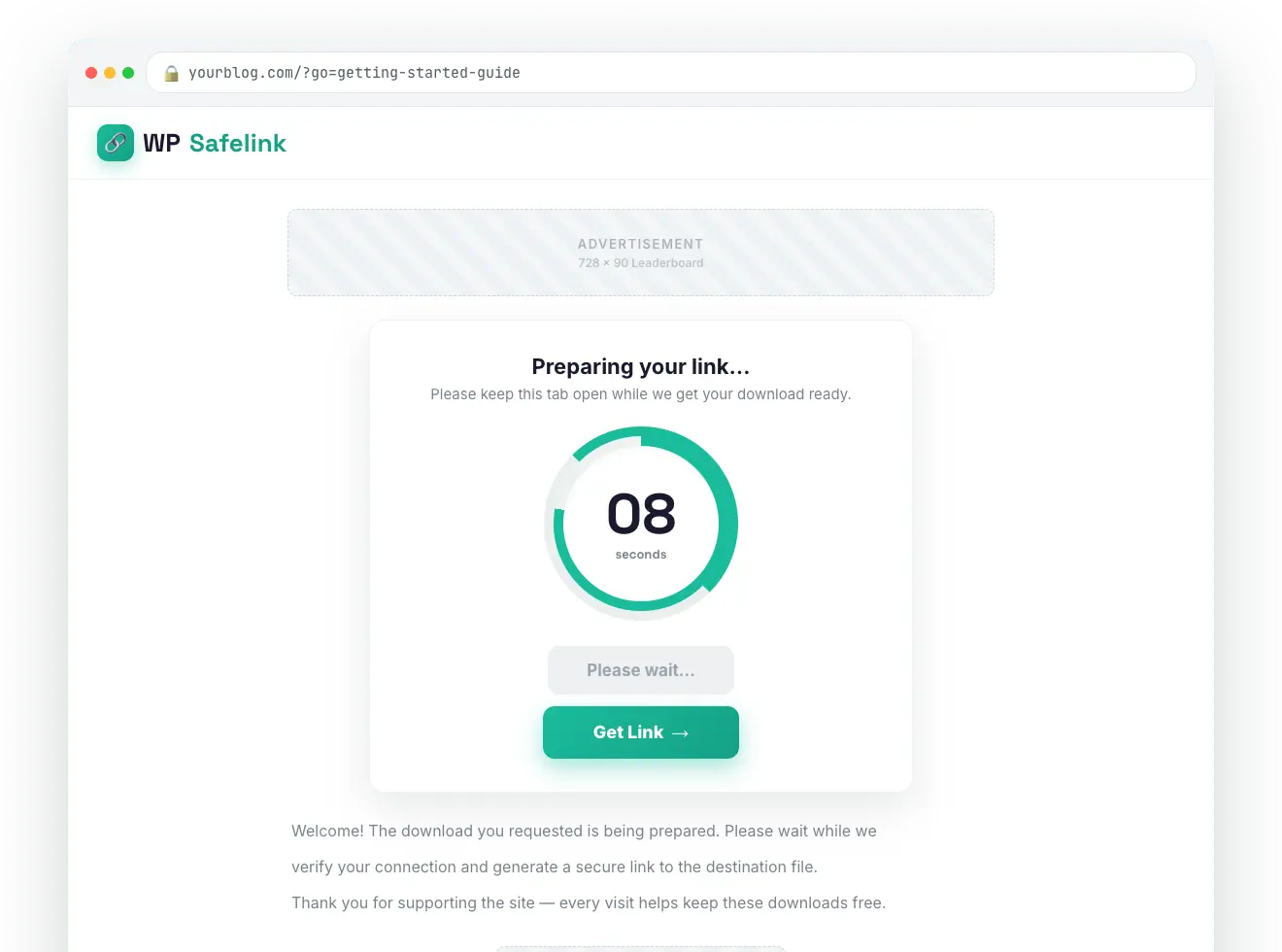
Two other ways to create safelinks exist beyond this tab: the PRO Developer REST API (/wpsafelink/create) for generating links from bots and apps, and the Auto Convert Link extension that turns your existing outbound links into safelinks automatically. There is no shortcode or block — generation happens here, via the API, or via the extension plugins.
💡 Note: The saved-links table on the Generate Link tab tracks View and Click counts for every link, so you can see which safelinks earn the most — just make sure Auto Save Safelink is enabled in Settings. From here, explore the countdown templates and AdSense ad slots to maximize what each click is worth.