What Is WP Safelink?
Quick answer: WP Safelink is a WordPress plugin that turns your ordinary download and destination links into monetized “safelink” pages. Instead of sending visitors straight to a file, WP Safelink routes them...
On this page
WP Safelink is a WordPress plugin that turns your ordinary download and destination links into monetized “safelink” pages. Instead of sending visitors straight to a file, WP Safelink routes them through one or more ad-filled countdown pages first — so every outbound click earns you AdSense or ad-network revenue. It is the flagship product from Themeson, built for download sites, APK blogs, and streaming/movie sites that want to get paid for the traffic they already have.
#Who it is for
If you run a blog where people come to grab a file, an app, a game, or a streaming link, WP Safelink is built for you. You keep publishing the content your audience wants, and the plugin handles the monetization layer on top of every link.
- Download & file-sharing sites that give away ZIPs, PDFs, software, or game files
- APK and app-showcase blogs (pairs naturally with auto-content workflows)
- Movie and streaming sites linking out to players or hosters
- Any site owner who wants to earn AdSense revenue from outbound clicks without losing visitors
#How the visitor flow works
Every safelink walks the visitor through a short, predictable journey. The dwell time on the countdown page is what makes your ads actually get seen — which is the whole point.
- Generate — You turn a normal URL such as
https://site.com/file.zipinto a safelink (a short/go/abc12345link, a base64 link, or a fully encrypted link). - Click & intercept — When a visitor opens the safelink, WP Safelink catches it, sets a short-lived cookie, and sends the visitor to a landing page where your ads live.
- Verify (optional) — If Human Verification is on, an “I’m not a robot” button or a CAPTCHA gate appears first to filter out bots.
- Countdown — A text timer or an animated countdown circle runs while your ads display (for example, “Your link will be created in 5 seconds”).
- Get link — After the timer, the visitor clicks Generate Link, waits a moment, then clicks the final Download Link button.
- Redirect — The real destination is decrypted, the click is counted, and the visitor lands on the file they came for.
#What your visitors see
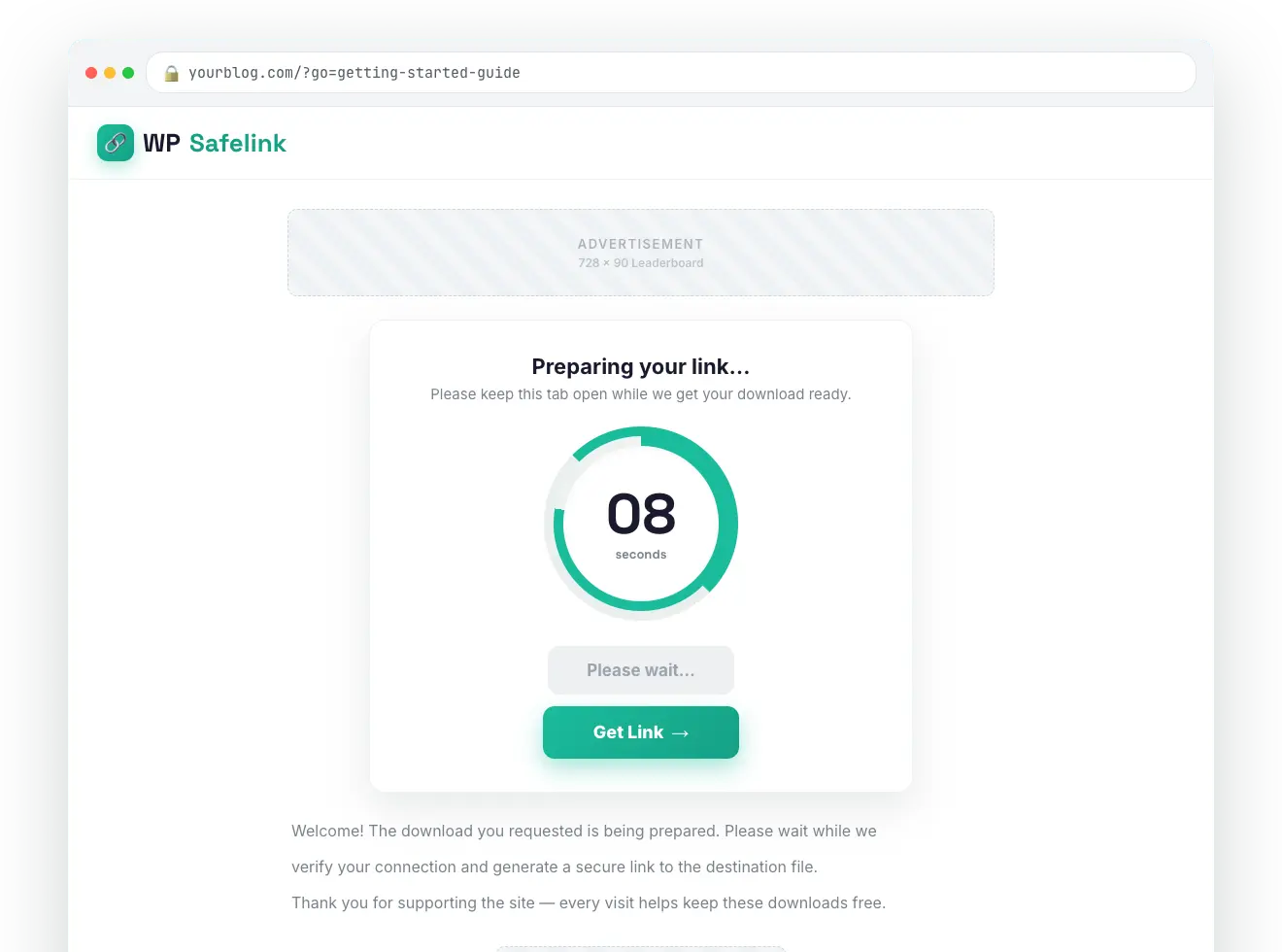
#What makes WP Safelink different
Plenty of plugins can add a delay before a download. WP Safelink is built to protect your revenue and keep it AdSense-safe, with features most safelink scripts simply do not have:
| Capability | What it does for you |
|---|---|
| Anti-Adblock | Detects and blocks ad-blocker users so your monetization can’t be bypassed. |
| Anti-Bot / Proxy / VPN shield (PRO) | Filters out anonymized and bot traffic to protect your AdSense account and ad value. |
| AdSense-safe Google Redirect (PRO) | Bounces visitors through a Google URL so the referrer looks AdSense-friendly. |
| AES-256 link encryption | Hides the real destination so links can’t be scraped or skipped. |
| AdLinkFly integration | Routes clicks through an AdLinkFly shortener for an extra layer of revenue. |
| Auto-convert links | An extension plugin can turn your existing outbound links into safelinks automatically. |
| Blog / JavaScript embeds | Drop safelinks into any post or page and display them inside your own theme. |
| Multiple-page flow (PRO) | Repeats the safelink across several pages to multiply ad impressions per click. |
Want to see the full feature set, or jump straight into setup? Start with Installation & Requirements, then run The Setup Wizard and create your first safelink.
💡 Note: Features marked PRO — such as Anti-Bot/VPN shield, Google Redirect, Multiple Pages, the Second Safelink hop, and the Developer REST API — are unlocked by a wpsafelink-pro, Agency, or Lifetime license. The core anti-adblock, countdown, templates, and AdSense ad slots work on every plan.