AdLinkFly PRO Handoff
Quick answer: WP Safelink Pro also has a built-in AdLinkFly tab — a PRO-only handoff that lets WP Safelink Pro route clicks through AdLinkFly directly, without the separate Integrator site. It uses...
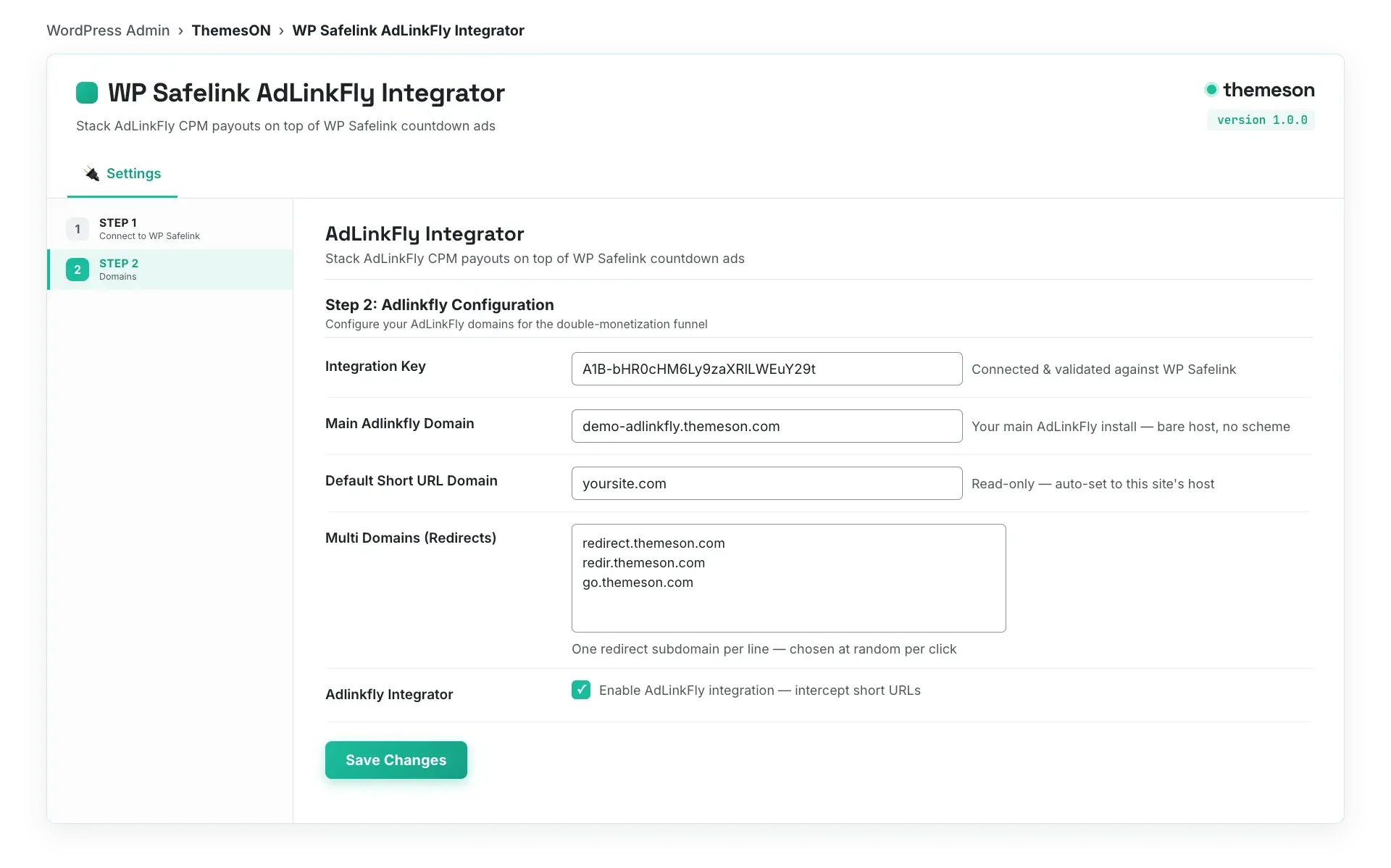
Stack an AdLinkFly shortener on top 0:56
On this page
WP Safelink Pro also has a built-in AdLinkFly tab — a PRO-only handoff that lets WP Safelink Pro route clicks through AdLinkFly directly, without the separate Integrator site. It uses a secure encrypted token exchange with AdLinkFly’s own WordPress integration so the link is verified and tamper-proof.
💡 Note: This in-plugin AdLinkFly handoff is a PRO-only feature. It is unlocked only with a wpsafelink-pro, -agency, or -lifetime license. If you do not have a PRO license, use the separate AdLinkFly Integrator plugin instead.
#How to enable the AdLinkFly PRO handoff
- In WP Safelink, open the Settings menu and select the AdLinkFly tab from the left sidebar (under Advanced Features).
- Tick Adlinkfly to enable the handoff.
- Enter your Adlinkfly URL — the install you want clicks routed through (e.g.
https://redir.themeson.com). - Copy the read-only Adlinkfly Secret Key and paste it into the matching field in AdLinkFly’s WordPress integration so the two installs trust each other.
- Save your settings, then test a handoff link (e.g.
/?adlinkfly=SLUG) to confirm the token exchange works end to end.
#Configuration
| Setting | Default | What it does |
|---|---|---|
| Adlinkfly | off | PRO. The ‘Enable Adlinkfly’ checkbox turns the in-plugin AdLinkFly handoff on. |
| Adlinkfly URL | (empty) | PRO. The AdLinkFly install that clicks are routed through, e.g. https://redir.themeson.com. |
| Adlinkfly Secret Key | md5(home_url) (auto) | PRO. Read-only. An auto-generated secret tied to your site — paste it into AdLinkFly’s WordPress integration to authenticate the connection. |
#How the secure token works
Unlike the standalone Integrator, the PRO handoff exchanges an AES-256-CBC encrypted token with HMAC verification with AdLinkFly’s WordPress integration. The Secret Key signs each handoff so AdLinkFly can confirm the request genuinely came from your licensed WP Safelink Pro install and was not forged or replayed.
#What the AdLinkFly PRO tab looks like
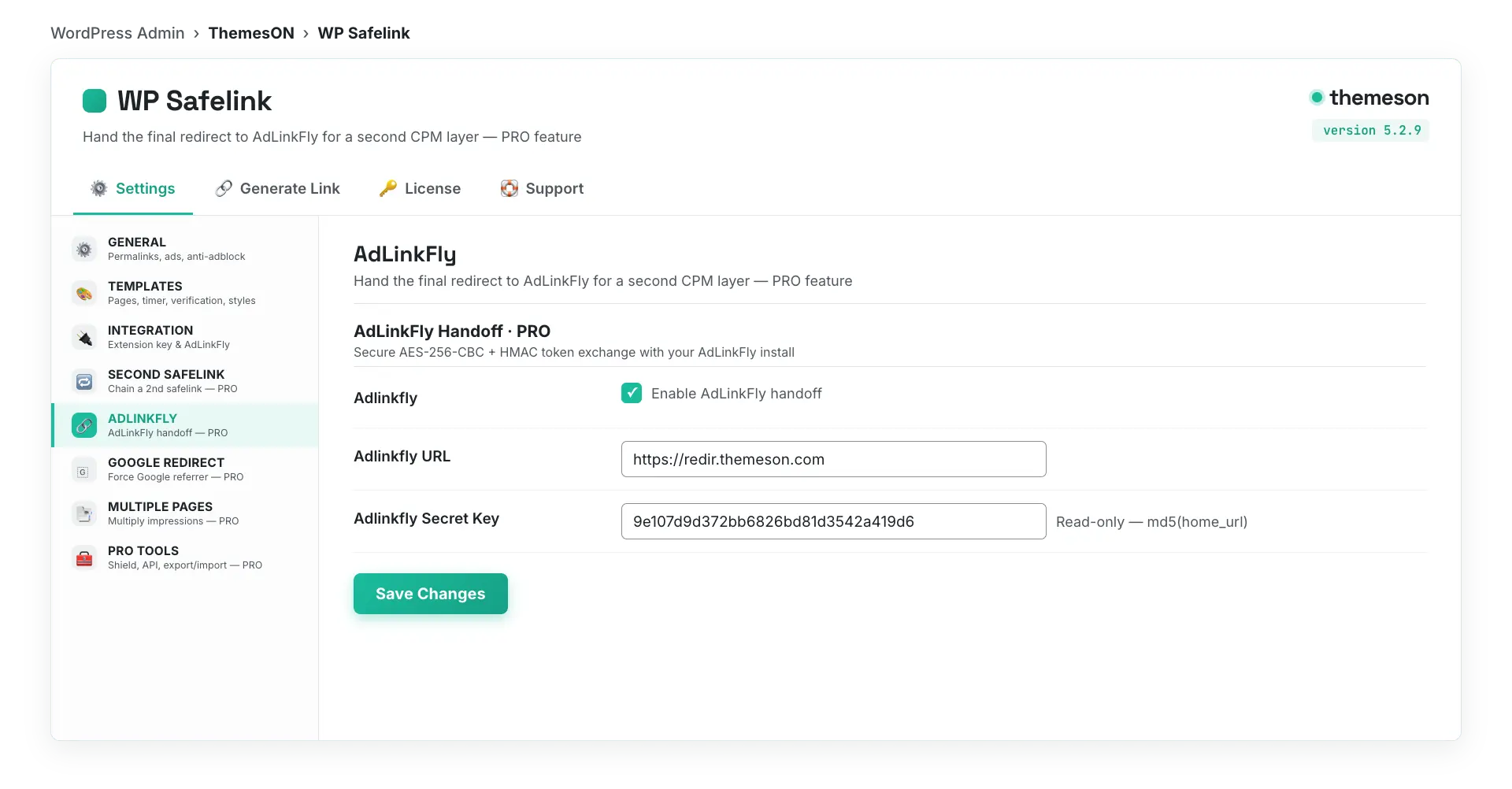
💡 Note: Use the PRO handoff when you want AdLinkFly monetization built straight into your main WP Safelink Pro site. Use the separate AdLinkFly Integrator when you want a dedicated site that turns short, on-domain URLs into the full double-monetization funnel.